Wanna see something cool? Check out Angular Spotify 🎧
Speed up zsh startup by lazy loading nvm
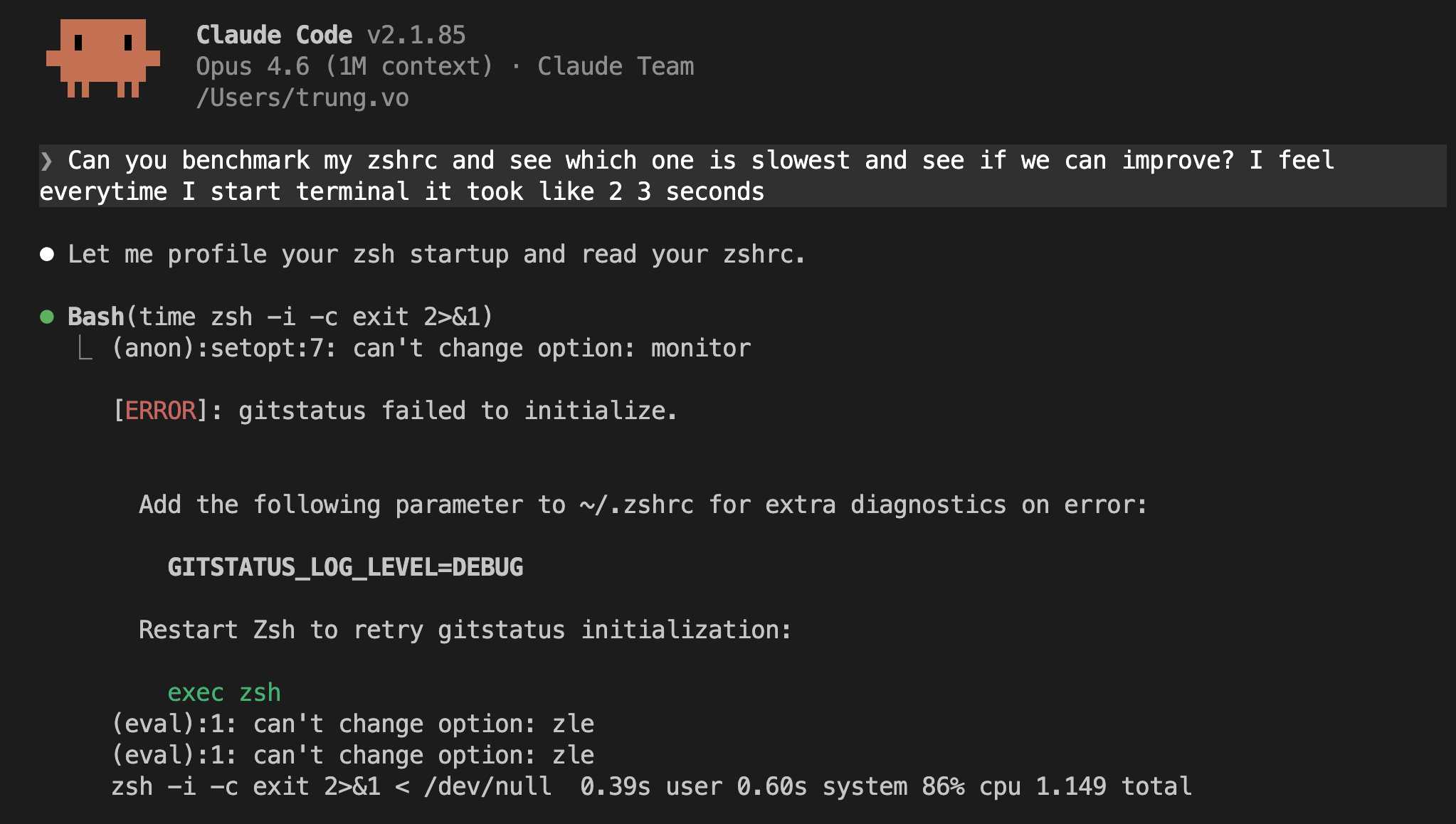
Every time I opened a new terminal, there was a noticeable delay. About one seconds of staring at a blank screen before the prompt appeared. It was not terrible, but it added up. Open a terminal to run a quick command, wait. Split a new pane for Claude Code, wait. After a while, I decided to figure out what was causing it.
Since I use Claude Code for almost everything now, I started a session and asked it to investigate. It profiled my shell, found the bottleneck, and suggested the fix. Here is what we found.
Profiling with zprof
zsh has a built-in profiler called zprof. It is part of the zsh/zprof module, and it tells you exactly how long each function takes during shell initialisation.
To use it, add this line to the top of your ~/.zshrc:
zmodload zsh/zprofAnd this line to the bottom:
zprofThen restart your shell:
exec zshWhen zsh starts, zprof loads first and starts recording. After everything else in .zshrc finishes, zprof prints a table showing every function that ran and how long it took.
You can also run it as a one-liner without editing your .zshrc:
zsh -c 'zmodload zsh/zprof; source ~/.zshrc 2>/dev/null; zprof'nvm is the culprit
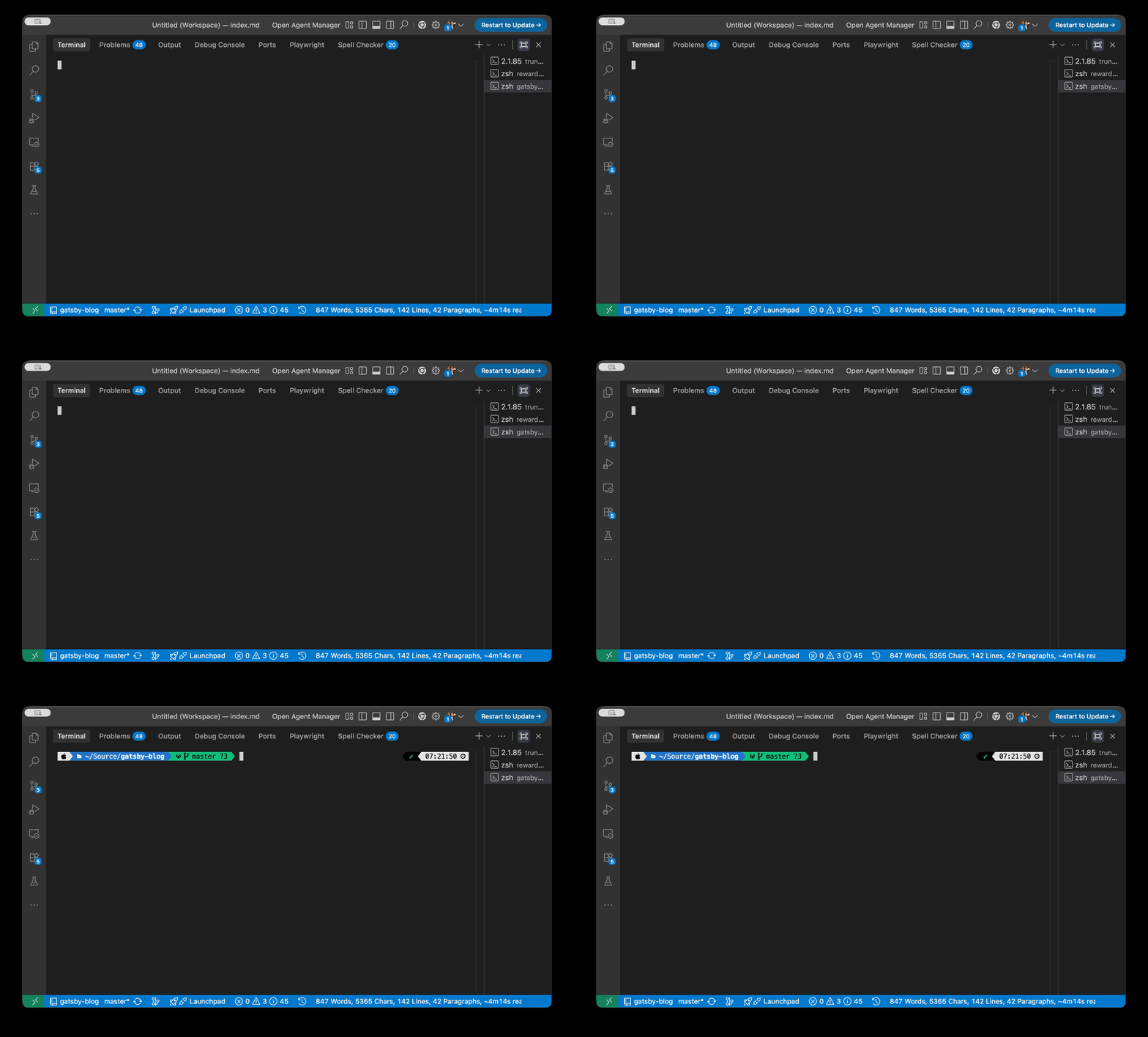
Here is what my profiling output looked like:
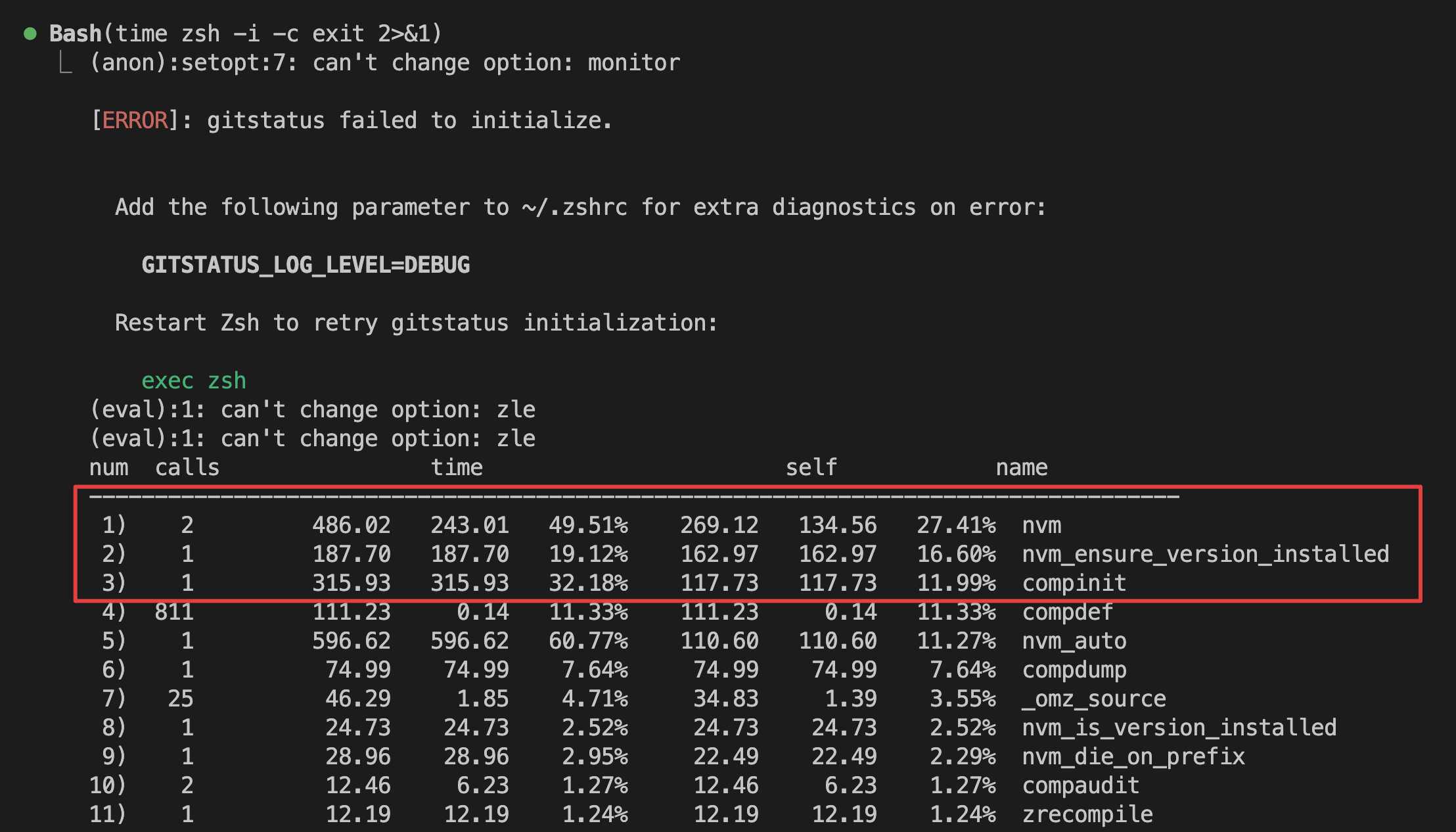
And here is the output of time zsh -i -c exit
zsh -i -c exit 2>&1 < /dev/null 0.39s user 0.60s system 88% cpu 1.122 totalLet me break down the top rows:
| # | Function | Time | % of startup | What it does |
|---|---|---|---|---|
| 1 | nvm |
486ms | 49.5% | The core nvm function that sets up the correct Node.js version and PATH |
| 2 | nvm_ensure_version_installed |
188ms | 19.1% | Checks that the Node version nvm wants to use is actually installed on disk |
| 3 | compinit |
316ms | 32.2% | Initialises zsh’s tab completion system, scanning and compiling all completion functions |
| 4 | compdef |
111ms | 11.3% | Registers completion functions for specific commands, called 811 times by compinit |
| 5 | nvm_auto |
597ms | 60.8% | The entry point that triggers nvm on shell startup, calls nvm internally |
The time column includes time spent in sub-functions. So nvm_auto (597ms) calls nvm (486ms) which calls nvm_ensure_version_installed (188ms). They overlap, you cannot add them together. The real total for nvm is nvm_auto’s 597ms.
The compinit row looks high here (316ms) because I had just cleared the zsh completion cache before this run. Normally it loads from a cached .zcompdump file and takes around 30ms. So it is not a real concern.
The actual bottleneck is nvm. It accounts for 60% of the total startup time. Every time I opened a terminal, nvm was checking which Node version to use, verifying it was installed, and setting up the environment. All before I even typed anything.
The rest, oh-my-zsh, powerlevel10k, syntax highlighting, were all fast enough that I would never notice them.
Lazy loading nvm
The fix is simple. Instead of loading nvm immediately when the shell starts, load it the first time you actually use it. If you open a terminal just to run git status or docker compose up, there is no reason to wait for nvm.
Replace this in your .zshrc:
export NVM_DIR="$HOME/.nvm"
[ -s "$NVM_DIR/nvm.sh" ] && \. "$NVM_DIR/nvm.sh"
[ -s "$NVM_DIR/bash_completion" ] && \. "$NVM_DIR/bash_completion"
With this:
export NVM_DIR="$HOME/.nvm"

# Lazy load nvm - only initialise when first used
nvm() {
  unfunction nvm node npm npx
  [ -s "$NVM_DIR/nvm.sh" ] && \. "$NVM_DIR/nvm.sh"
  nvm "$@"
}
node() {
  unfunction nvm node npm npx
  [ -s "$NVM_DIR/nvm.sh" ] && \. "$NVM_DIR/nvm.sh"
  node "$@"
}
npm() {
  unfunction nvm node npm npx
  [ -s "$NVM_DIR/nvm.sh" ] && \. "$NVM_DIR/nvm.sh"
  npm "$@"
}
npx() {
  unfunction nvm node npm npx
  [ -s "$NVM_DIR/nvm.sh" ] && \. "$NVM_DIR/nvm.sh"
  npx "$@"
}
Each function is a placeholder. The first time you run node, npm, npx, or nvm, it removes all the placeholder functions, loads the real nvm, and then runs your command. From that point on, nvm is fully loaded and everything works normally.
The unfunction call removes all four placeholders at once. This way, after any one of them triggers the load, the others do not accidentally try to load nvm a second time.
Ater result
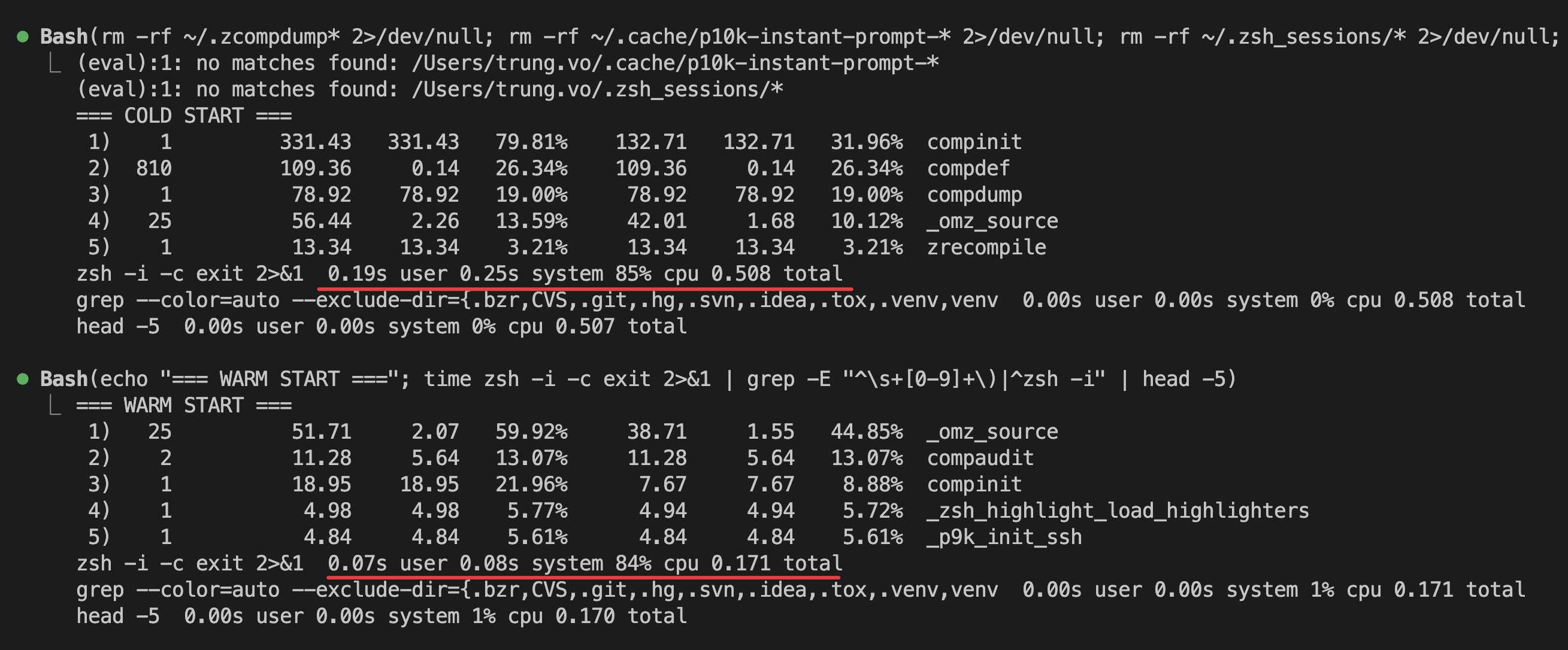
After lazy loading (cold start, no completion cache):
| # | Function | Time | % of startup | What it does |
|---|---|---|---|---|
| 1 | compinit |
331ms | 79.8% | Rebuilds zsh tab completion cache from scratch |
| 2 | compdef |
109ms | 26.3% | Registers completion functions, called 810 times |
| 3 | compdump |
79ms | 19.0% | Writes the completion cache to disk for next time |
zsh -i -c exit 0.19s user 0.25s system 85% cpu 0.508 totalAfter lazy loading (warm start, completion cache exists):
| # | Function | Time | % of startup | What it does |
|---|---|---|---|---|
| 1 | _omz_source |
52ms | 59.9% | Loads oh-my-zsh plugins |
| 2 | compaudit |
11ms | 13.1% | Checks completion directory permissions |
| 3 | compinit |
19ms | 22.0% | Loads zsh tab completion from cache |
zsh -i -c exit 0.07s user 0.08s system 84% cpu 0.171 totalnvm is completely gone from both. On a warm start, that is 1.12 seconds down to 0.17 seconds, a 6.5x improvement, just by deferring one tool that I do not need on every shell session.
One thing to watch out for
If you have scripts or tools that expect node or npm to be available immediately when the shell starts, lazy loading might cause issues. In my case, everything that runs Node goes through the terminal interactively, so it is fine. The first npm install or node script.js takes a tiny bit longer because it loads nvm first, but after that, it is instant.
If you use .nvmrc files and rely on nvm automatically switching Node versions when you cd into a project, you will need to trigger the load manually once, or add the auto-switching logic to the lazy loader. For my workflow, I just run nvm use when I need a specific version.
Conclusion
1 second might not sound like much, but when you are opening terminals dozens of times a day, it adds up fast.
Published 24 Mar 2026