Wanna see something cool? Check out Angular Spotify 🎧
Upgrade to Angular 20 from Angular 13 - Part 7: Angular 20 with Claude Code
We made it. In Part 6, we upgraded Jira Clone from Angular 18 to 19. That was the quietest upgrade in the series: remove standalone: true, bump some versions, done.
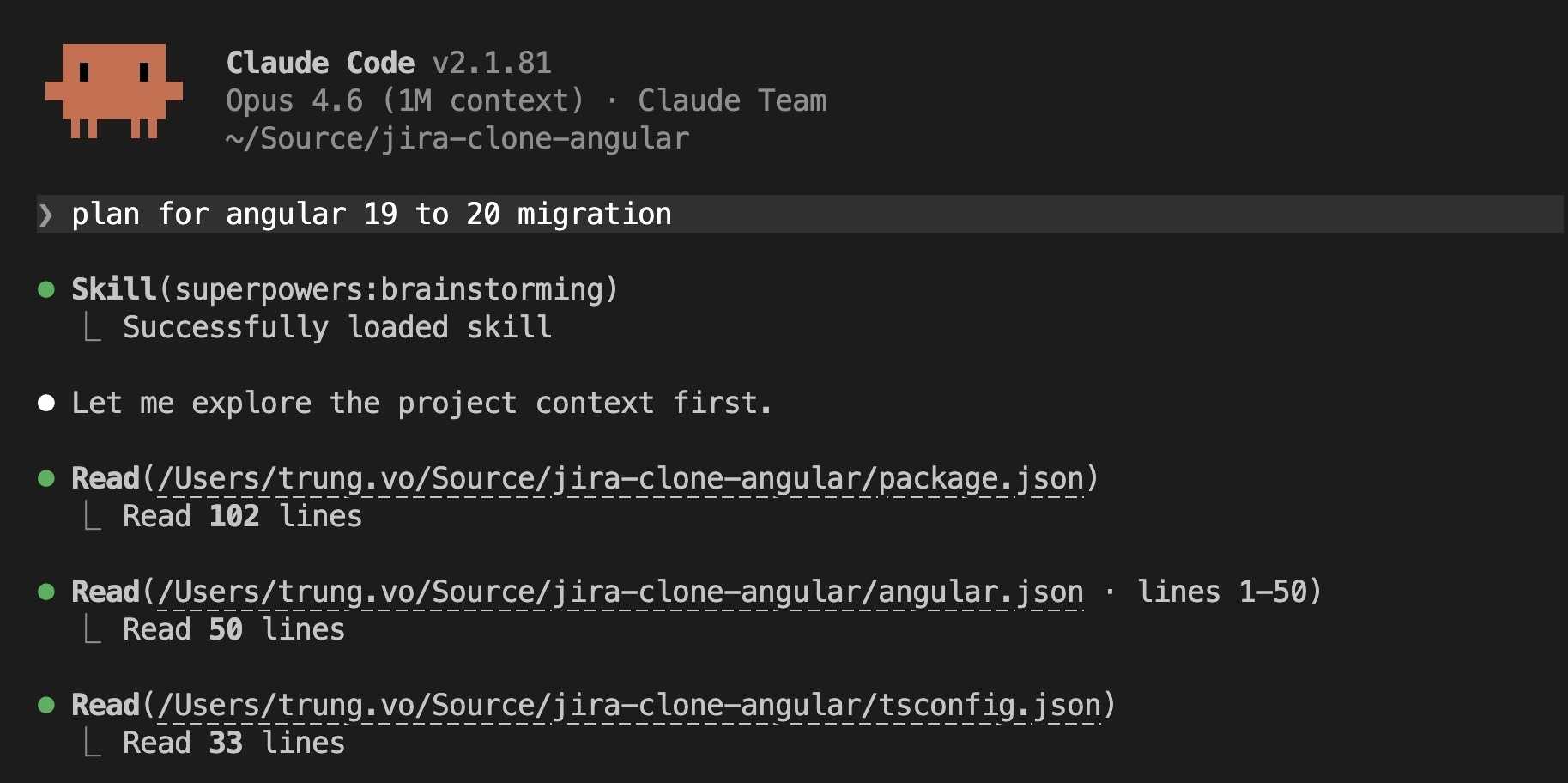
Part 7 is the opposite. This is the biggest single upgrade in the entire series, and also the longest Claude Code session at 36 minutes. Not because Angular 20 itself is hard, but because we took the opportunity to modernize everything at once: the build system, the test runner, the linter config, and even cleaned out Storybook.
1. What changed
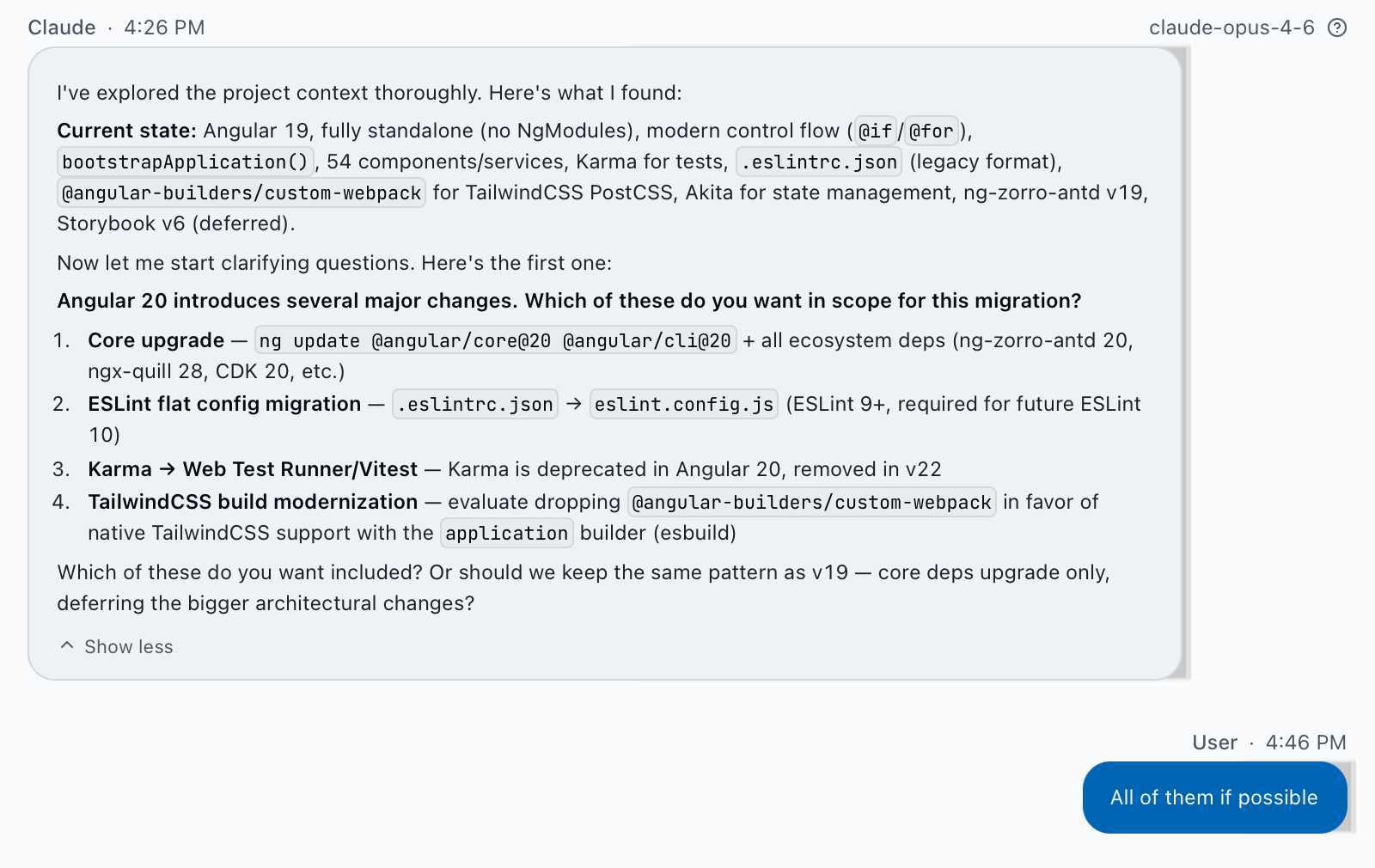
Here is everything we did in one branch:
- Angular 19 to 20 with all ecosystem deps (ng-zorro-antd 20, ngx-quill 28, CDK 20)
- Build system migration: dropped
@angular-builders/custom-webpack(webpack) and moved to@angular/build:application(esbuild) - TailwindCSS v4 attempt and revert: tried migrating to v4, hit critical incompatibilities with Angular component styles, reverted to v3
- Karma to Vitest: removed Karma + Jasmine, migrated all spec files to Vitest
- ESLint flat config:
.eslintrc.jsontoeslint.config.jswith ESLint 9 - Storybook removal: deleted Storybook v6 and all related deps
- Deprecated deps cleanup: removed codelyzer, tslint, nz-tslint-rules, protractor
2. Dependency upgrades
| Package | Before (v19) | After (v20) |
|---|---|---|
@angular/core |
^19.2.20 |
^20.3.18 |
@angular/cli |
^19.2.22 |
^20.3.21 |
@angular/cdk |
^19.2.19 |
^20.2.14 |
ng-zorro-antd |
^19.3.1 |
^20.4.4 |
@ant-design/icons-angular |
^19.0.0 |
^20.0.0 |
ngx-quill |
^27.1.2 |
^28.x |
@angular-eslint/* |
19.8.1 |
20.7.0 |
eslint |
^8.57.0 |
^9.28.0 |
tailwindcss |
^3.0.12 |
^3.4.17 |
typescript |
~5.8.3 |
~5.8.3 |
A lot of packages were added (Vitest, @angular/build) and even more were removed (Karma, Storybook, webpack tooling, deprecated linters). The node_modules got noticeably lighter.
3. Build system and TailwindCSS
3.1 Esbuild migration (success)
The project has used @angular-builders/custom-webpack since Angular 13 purely for TailwindCSS PostCSS processing. That is a lot of webpack baggage for one CSS preprocessor.
Angular 20 with the application builder (esbuild) handles PostCSS natively. So the entire custom webpack setup becomes unnecessary. We dropped @angular-builders/custom-webpack, deleted webpack.config.js, and pointed angular.json at @angular/build:application. Build times improved noticeably with esbuild, though I did not benchmark it.
That part went fine. The TailwindCSS part did not.
3.2 Tailwind v4 attempt (failure)
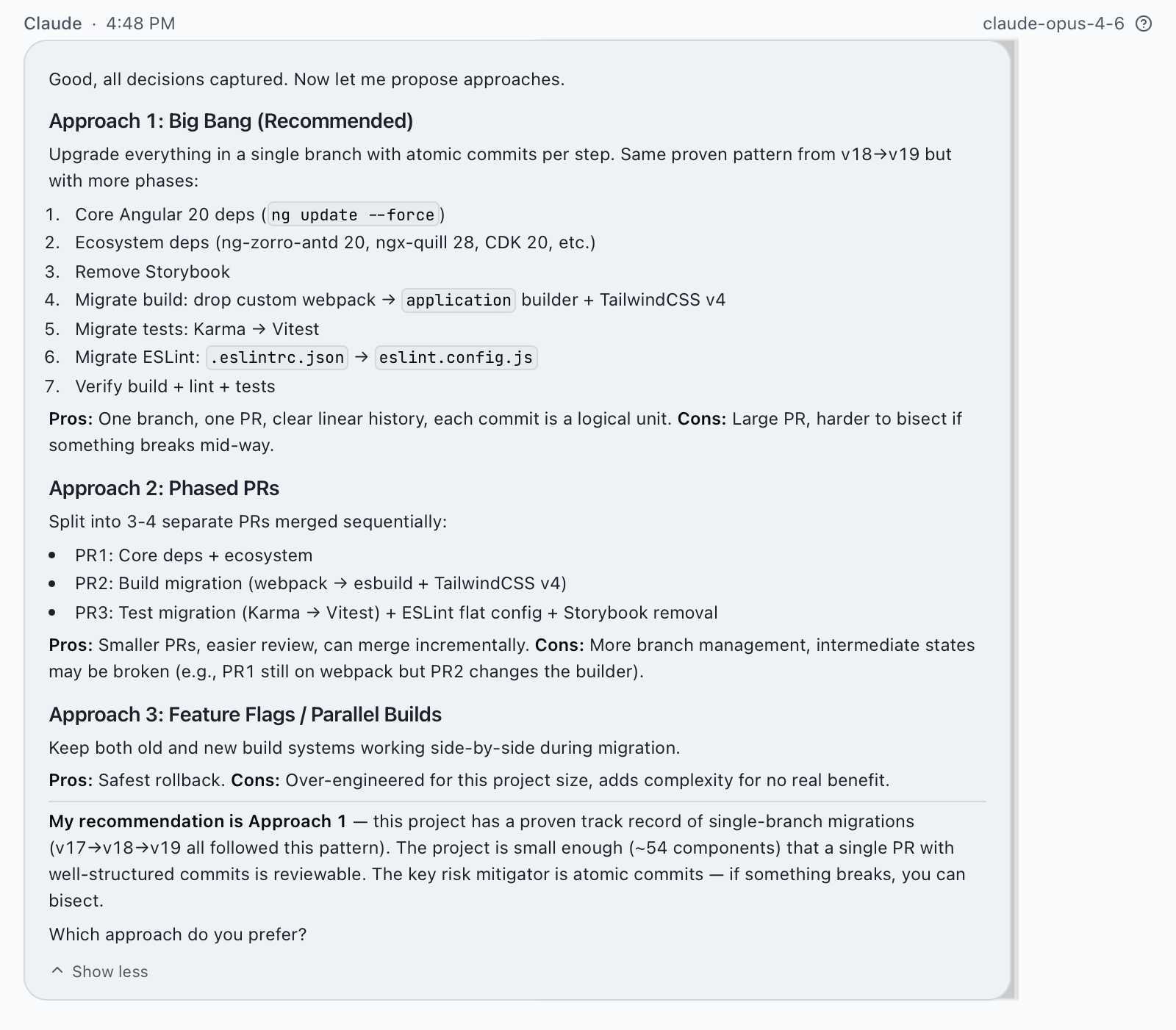
Claude suggested upgrading TailwindCSS from v3 to v4 as part of the modernization. The agent converted the 500-line tailwind.config.js into CSS @theme blocks inside styles.scss, changed the import to @import 'tailwindcss', and deleted the old config file. The build passed. Tests passed. Everything looked fine in the terminal.
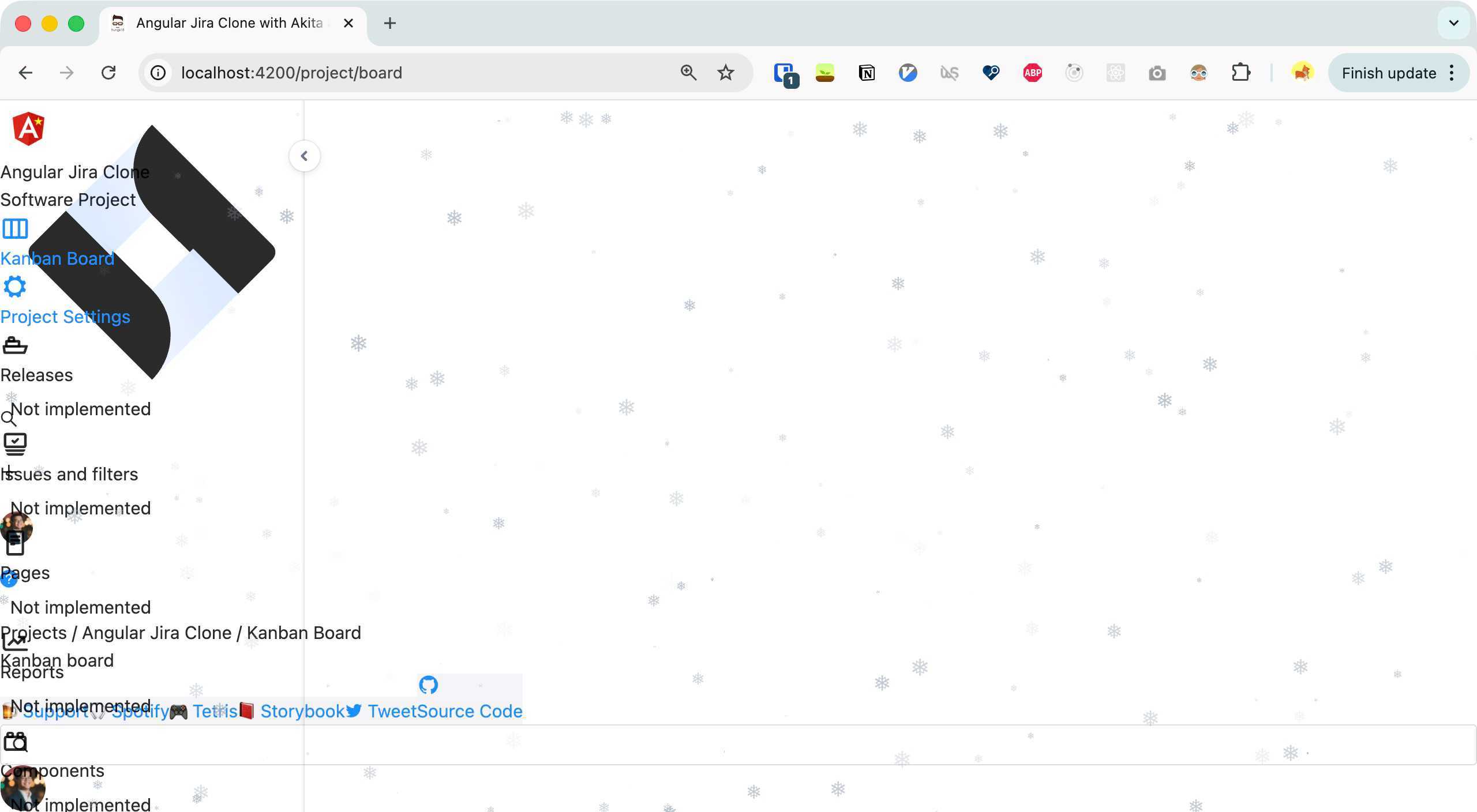
Then I opened localhost:4200. The entire UI was broken. No layout, no colors, no spacing. The Kanban board was just raw text floating on a white page.
3.3 Investigating Tailwind v4
Working with Claude interactively this time, we looked into why things broke. We connected to the running app via Chrome DevTools and found multiple issues stacked on top of each other:
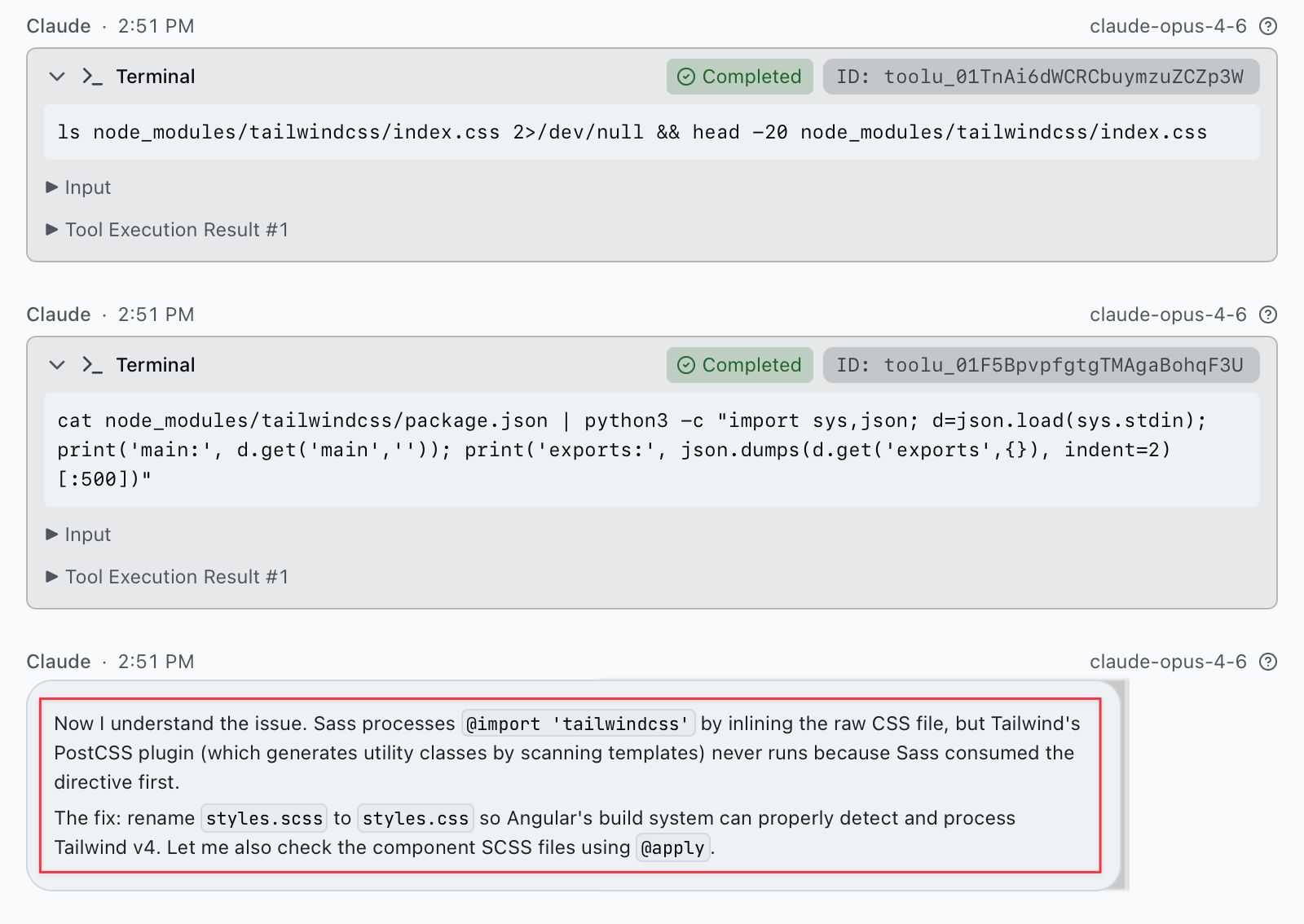
Problem 1: Sass ate the Tailwind import. The global stylesheet was styles.scss. Sass runs before PostCSS, so it resolved @import 'tailwindcss' by inlining the raw CSS file from node_modules. By the time Tailwind’s PostCSS plugin ran, there was nothing left to process. Zero utility classes generated. Fix: rename styles.scss to styles.css.
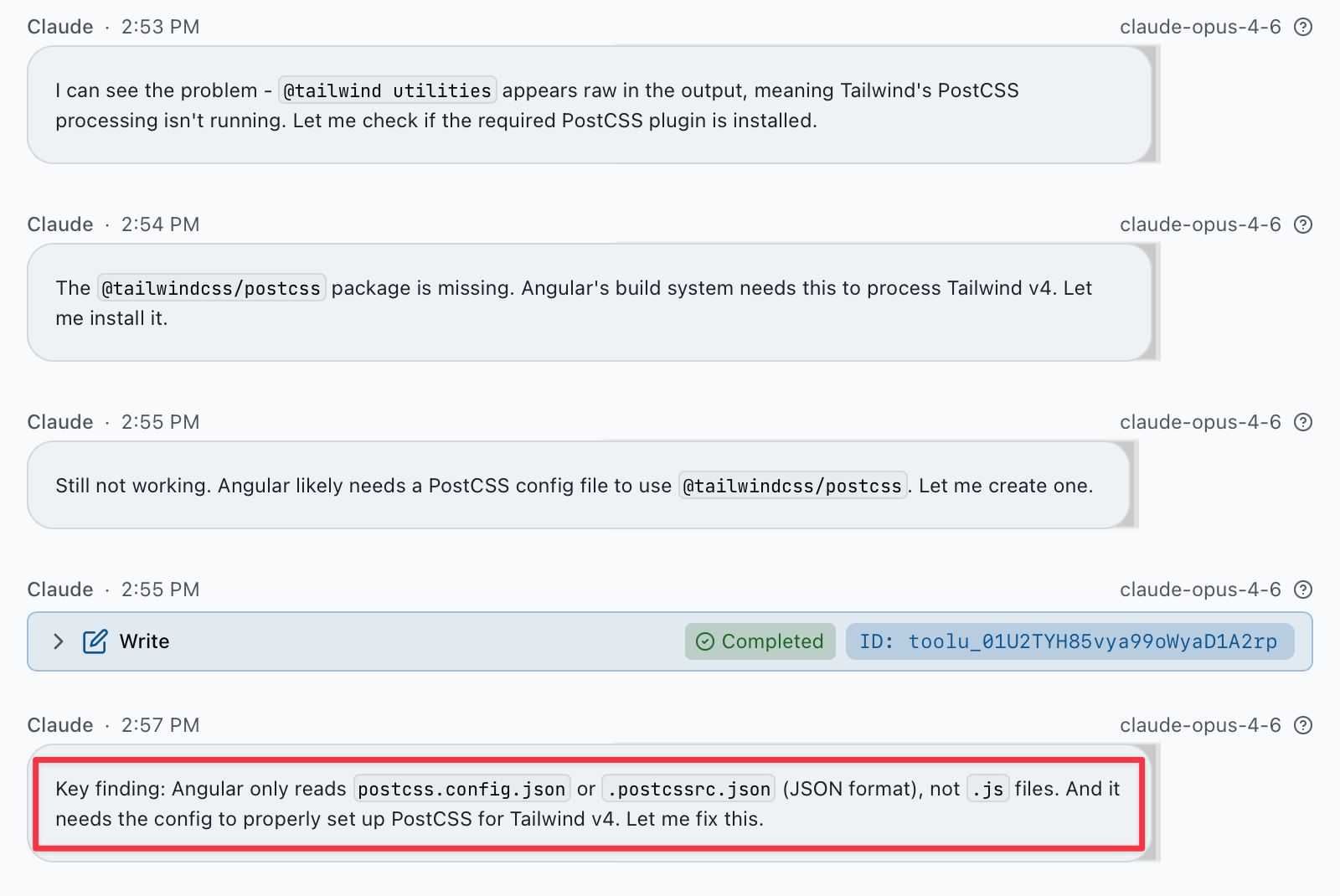
Problem 2: Missing PostCSS plugin. Angular’s @angular/build needed @tailwindcss/postcss registered in a postcss.config.json file. Not .js, not .mjs. Angular only reads the JSON format.
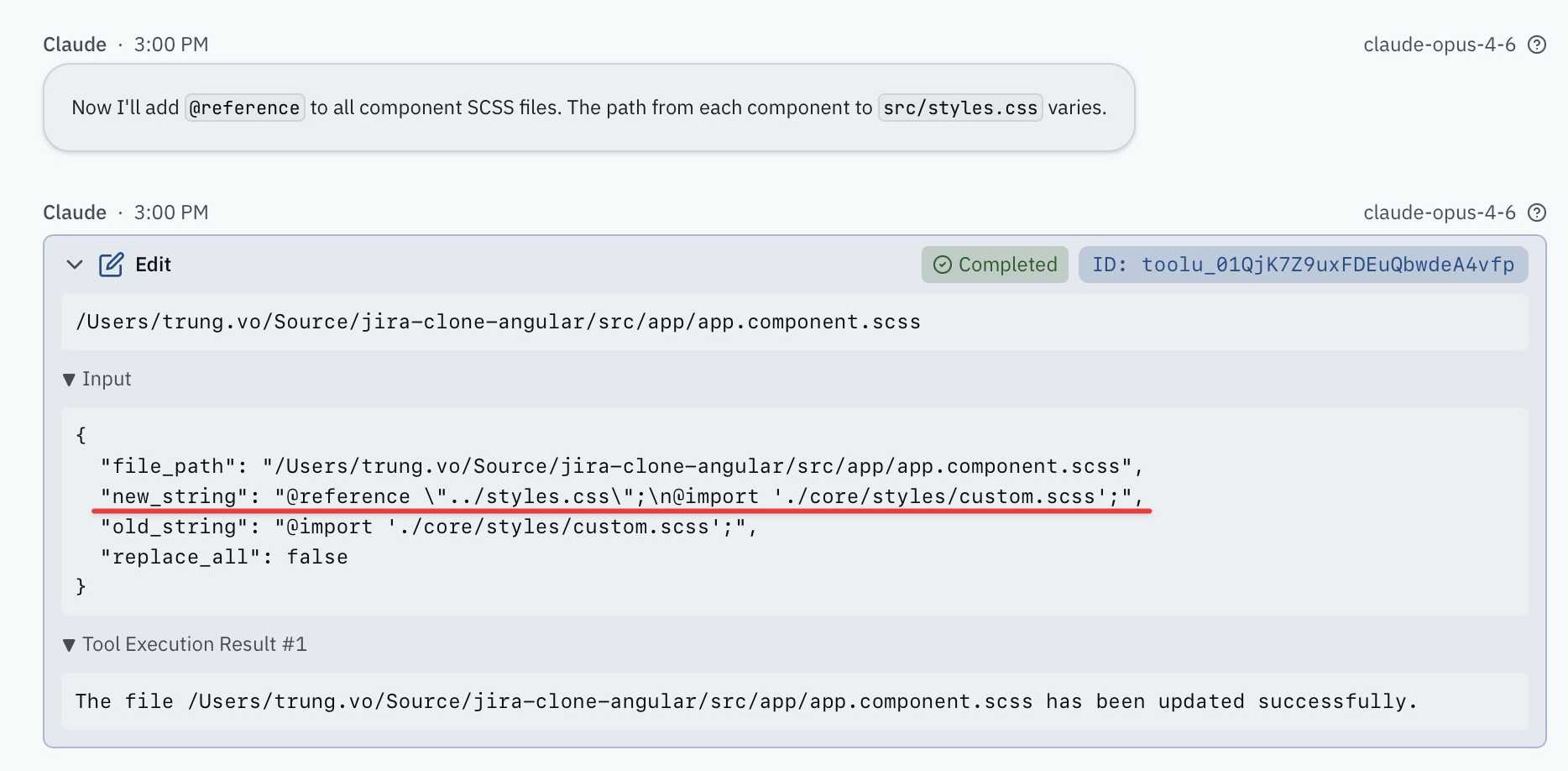
Problem 3: Component styles need @reference. In Tailwind v4, @apply no longer works globally. Angular component SCSS files that use @apply cannot access the global theme. Each component file needs @reference "path/to/styles.css" at the top, with the correct relative path. We have 15+ component files at different directory depths. I tried building a custom PostCSS plugin to auto-inject the reference, but Angular’s plugin loader made that complicated too.
Problem 4: It is a known issue. I found this GitHub discussion confirming @apply with @reference does not work well in Angular. People report dev server startup times going from 38 seconds to 3+ minutes. There is no official solution from either the Tailwind or Angular team.
3.4 Downgrading to Tailwind v3
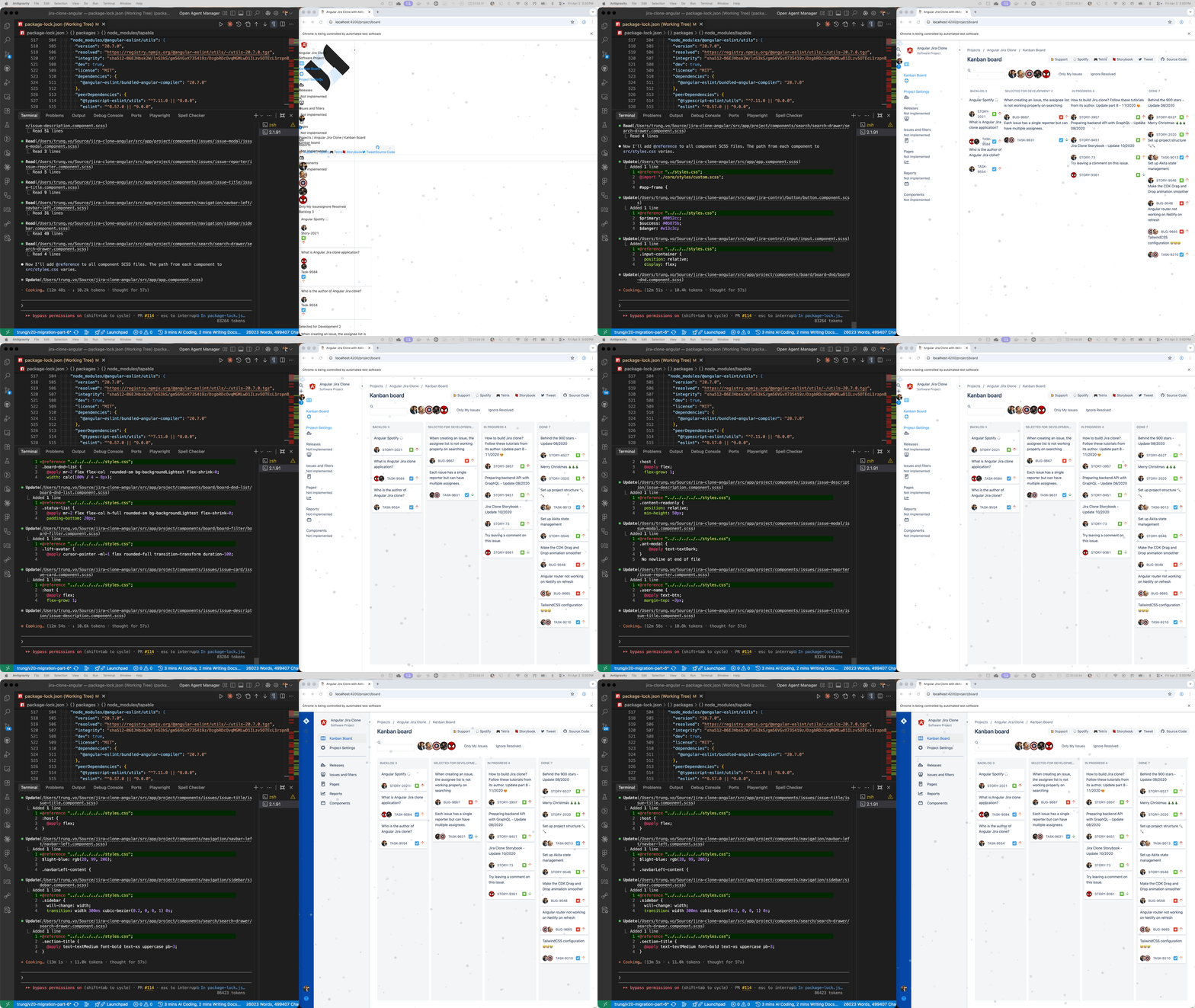
After all that, we downgraded to Tailwind v3 (^3.4.17). Restored the old tailwind.config.js from git. Restored styles.scss with v3 directives (@tailwind base, @tailwind components, @tailwind utilities). Removed all the v4 PostCSS config. Everything just worked.
In v3, @apply is global by default. No @reference needed. No custom PostCSS plugins. I updated the purge field to content for current v3 compatibility, and that was it.
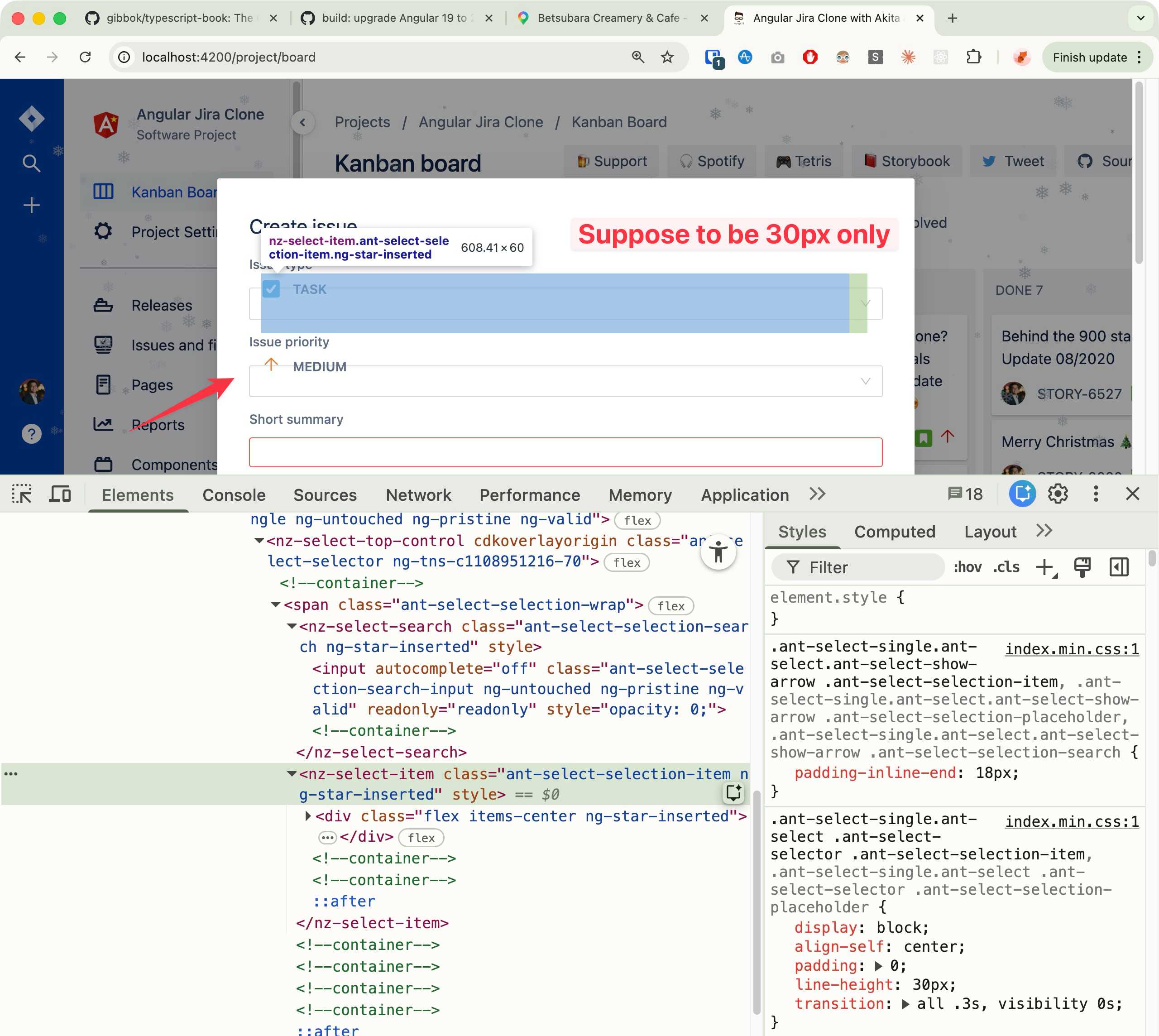
We also fixed a few more CSS issues while we were in there. The nz-select custom templates in the create issue modal had a 60px height bug. ng-zorro adds a ::after strut pseudo-element to .ant-select-selection-item that was stacking with the custom template content (30px strut + 30px content = 60px). We tracked this down through Chrome DevTools and fixed it with a display: flex override.
4. Karma to Vitest
Karma is deprecated in Angular 20 and scheduled for removal in v22. We moved to Vitest now rather than waiting.
The migration was more involved than expected. Vitest uses vi.fn() instead of jasmine.createSpy(), and the spy API is different enough that every spec file with mocks needed updating:
| Jasmine | Vitest |
|---|---|
jasmine.createSpy('name') |
vi.fn() |
spy.and.returnValue(x) |
spy.mockReturnValue(x) |
spy.and.callFake(fn) |
spy.mockImplementation(fn) |
spy.calls.reset() |
spy.mockReset() |
spyOn(obj, 'method').and.callThrough() |
vi.spyOn(obj, 'method') |
About half the spec files needed these conversions. The rest used only describe/it/expect which work identically in Vitest. All tests passing after the migration.
5. ESLint flat config
ESLint 9 uses a new eslint.config.js format (flat config) instead of the old .eslintrc.json. The legacy format still works in ESLint 9 but will be removed in ESLint 10.
The migration preserved all our existing rules: naming conventions, disabled rules, component selector configs. The flat config format is actually cleaner. No more overrides with file globs nested inside. Everything is top-level.
We also removed three deprecated packages that have been sitting in devDependencies since the Angular 13 days: codelyzer, tslint, and nz-tslint-rules. They were not doing anything.
6. Storybook removal
Storybook v6 has been skipped across four consecutive migrations (Parts 4, 5, 6, and now 7). It stopped working properly after the Angular 17 upgrade and we kept carrying it forward. Time to let go.
Removing Storybook and its transitive dependencies made a surprising reduction in the dependency tree. If we need component documentation in the future, starting fresh with Storybook v8 will be cleaner than upgrading from v6.
7. Claude Code session
This was the longest single Claude Code session in the series at 36 minutes. For context, the Angular 19 upgrade (Part 6) took about 15 minutes.
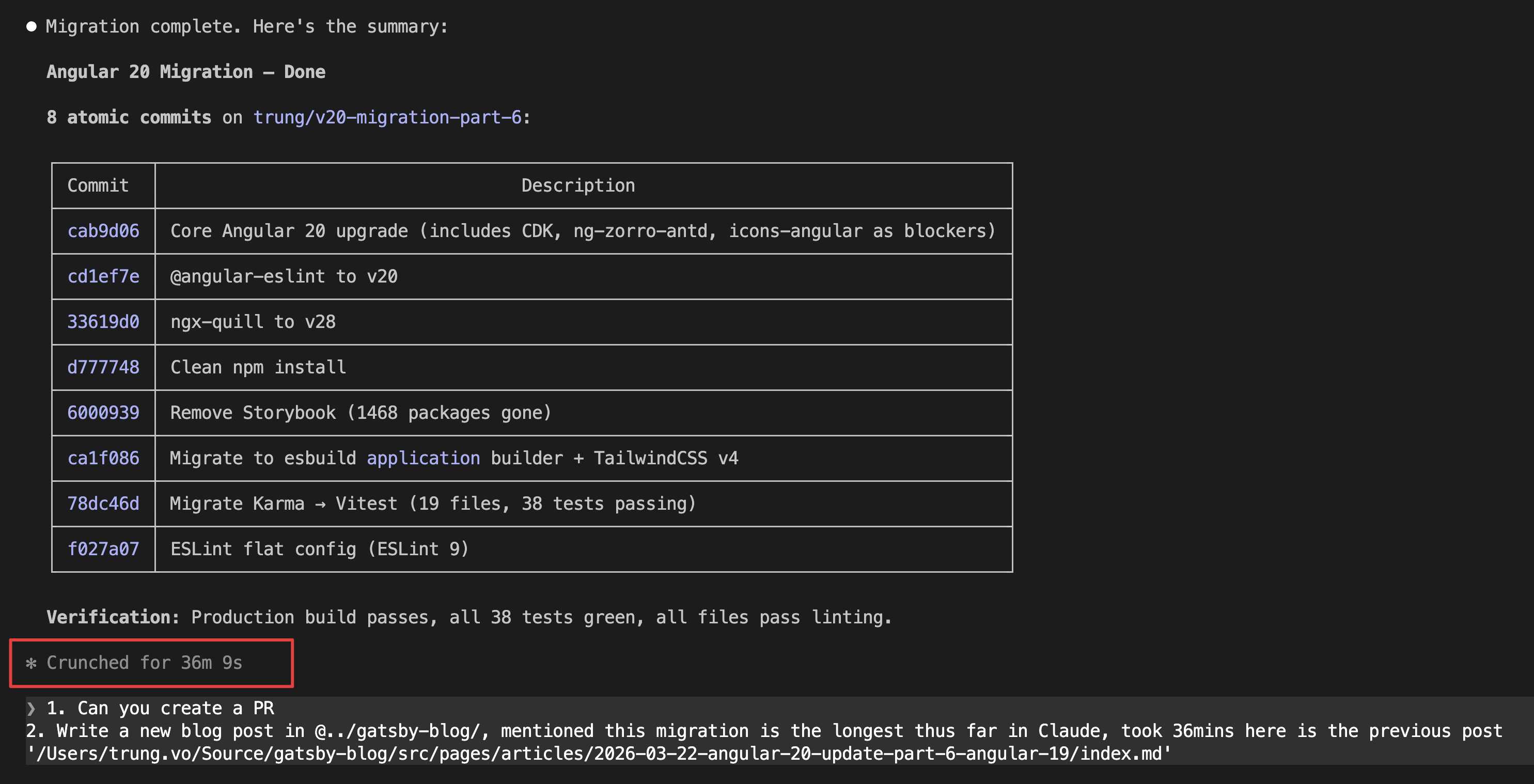
The extra time was expected. This session covered four major migrations (build, tests, linter, cleanup) on top of the standard version bump.
However, the automated session broke the styling completely. Claude suggested upgrading to Tailwind v4 and the build looked fine, but the actual app was unusable (see section 3). That kicked off a separate interactive session where we connected Claude Code to Chrome DevTools, opened the real browser, and debugged the issues together. We investigated the CSS output, found the root causes, tried fixes, and ultimately downgraded to Tailwind v3. We also found and fixed the ng-zorro select height bug the same way: look at the page, inspect the element, trace the CSS rules, apply the fix, verify in the browser.
This is the part that matters. The initial automated run did not have a way to verify its own work visually. It ran ng build, got a green checkmark, and moved on. Having a feedback loop where AI can verify the result in a real browser is what makes the difference. When we switched to the interactive session with Chrome DevTools, every fix was verified on screen before moving to the next issue. That loop is what turned a broken app into a working one.
8. Deploy output path changed
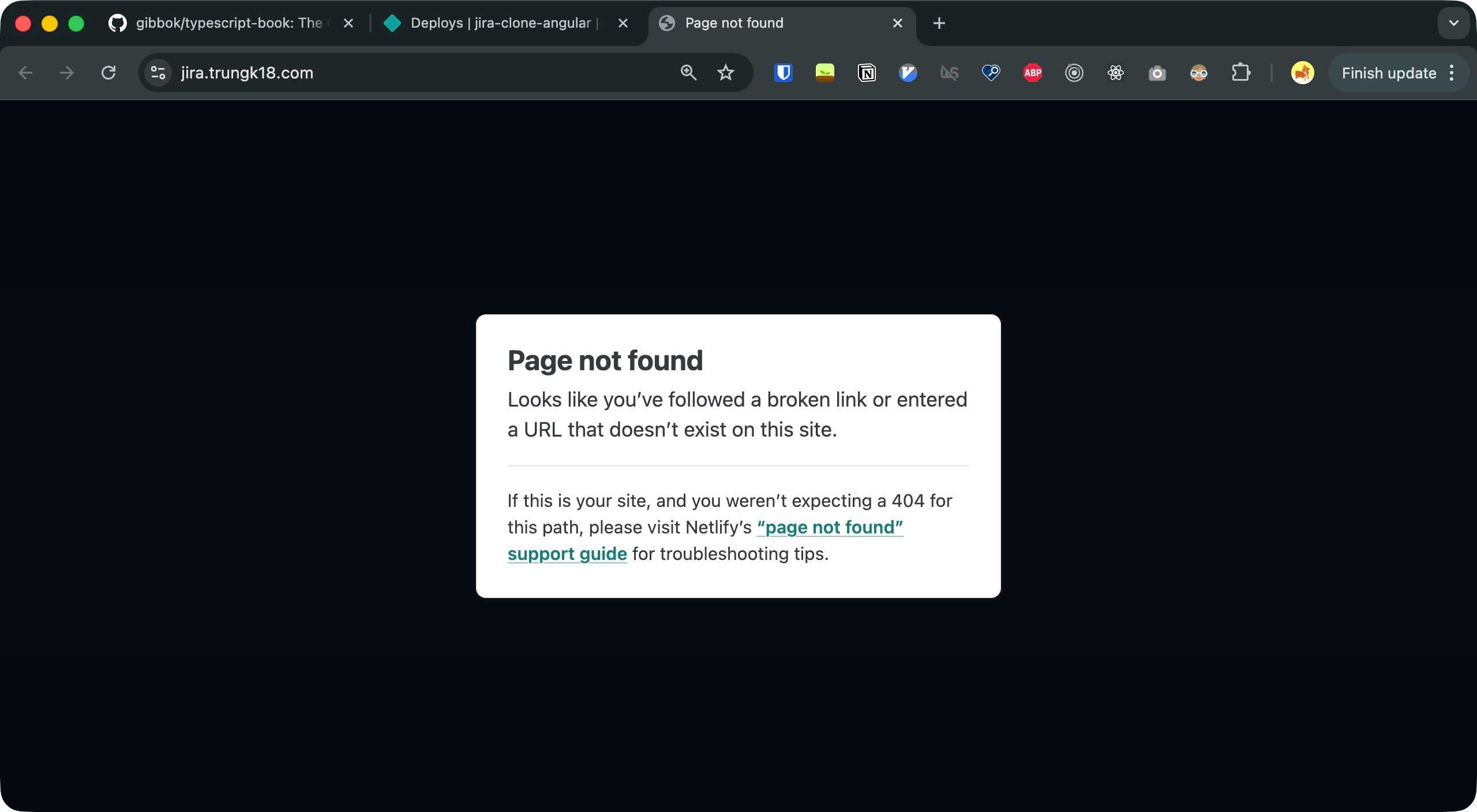
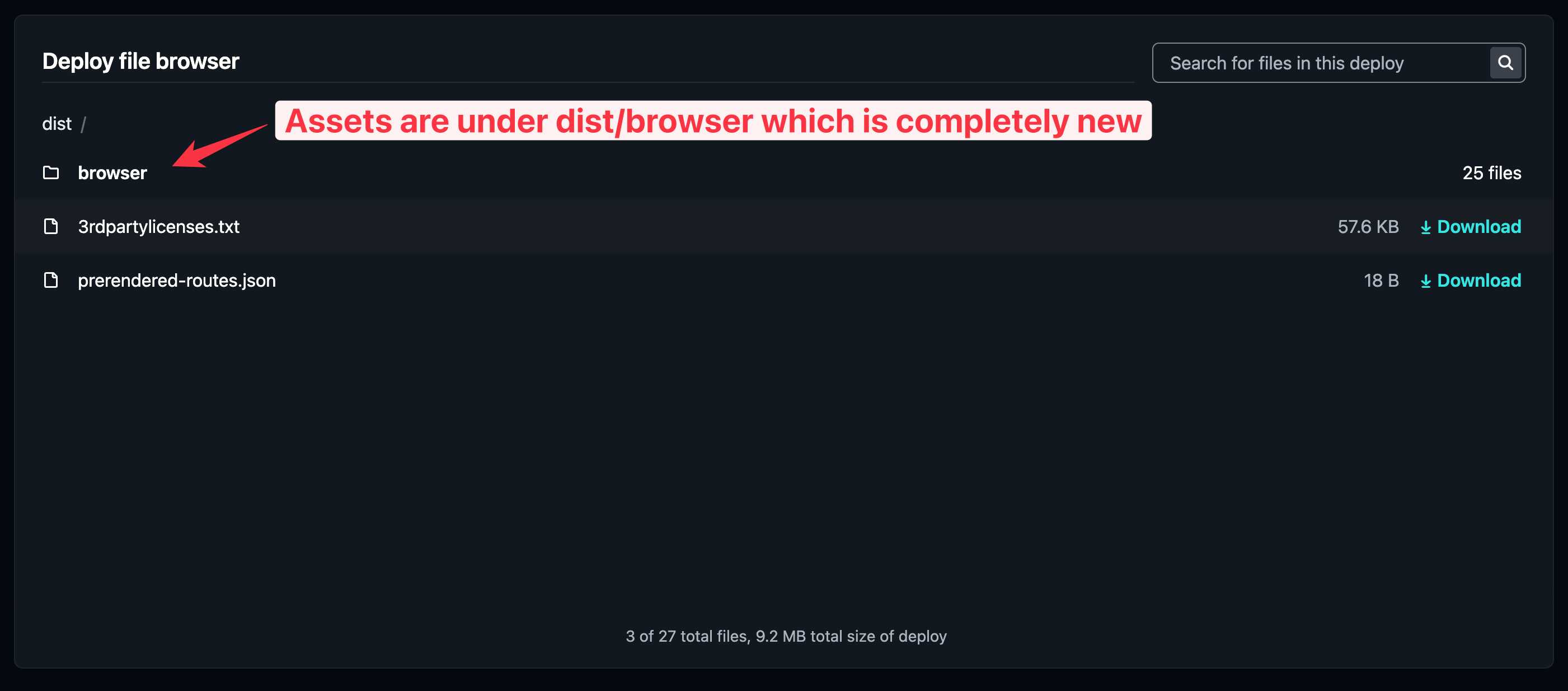
One thing to watch out for: the new application builder outputs to dist/<project-name>/browser instead of just dist. If your deployment platform is configured to serve from dist, your site will break silently. No build error, no warning. The deploy just serves an empty directory.
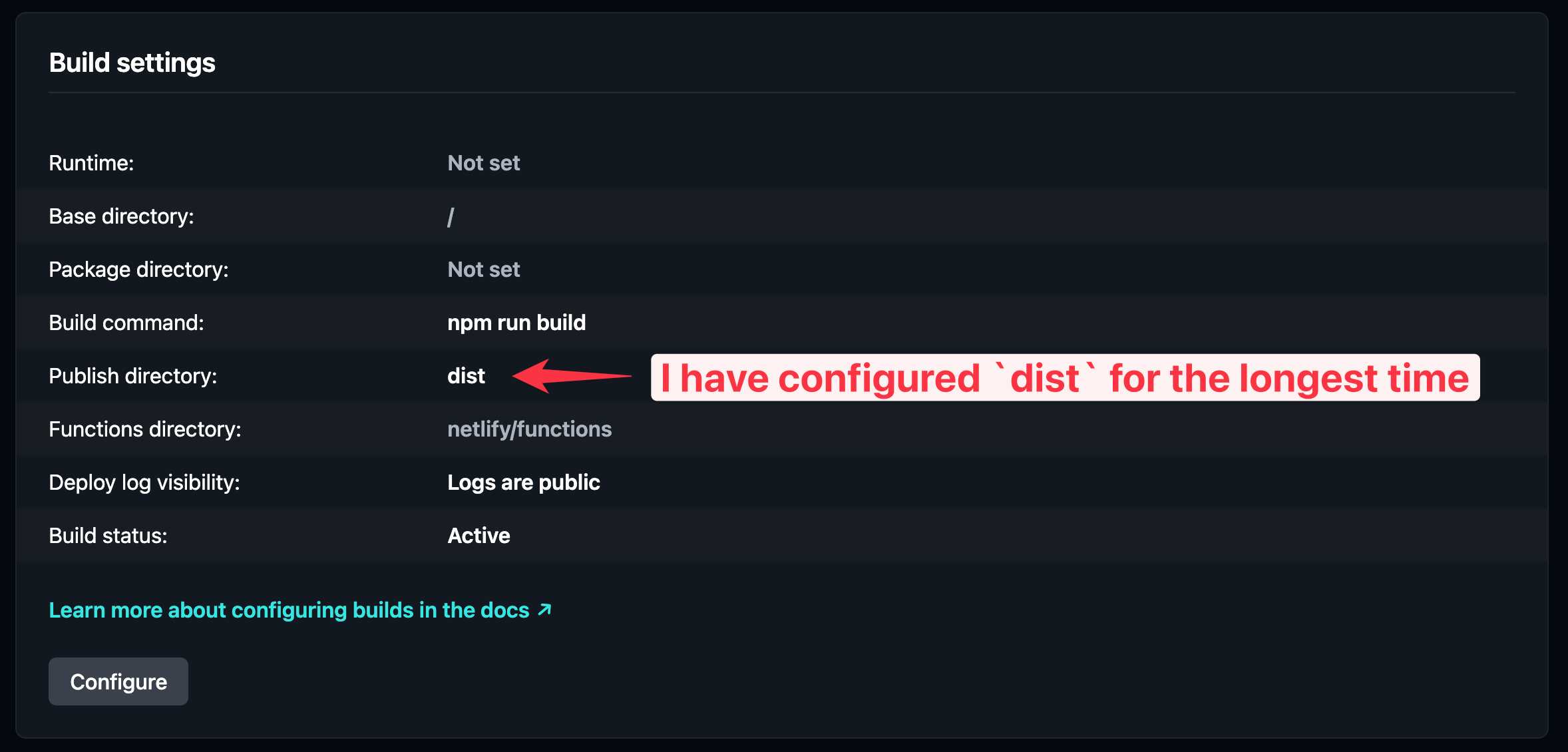
I caught this when deploying to Netlify. The build passed, the deploy succeeded, but the site was blank.
The fix is to update the publish directory from dist to dist/browser on Netlify (or whatever hosting you use). It is a one-line config change, but easy to miss because nothing tells you the output path has changed.
9. Source code
https://github.com/trungvose/jira-clone-angular/pull/114
10. What I learned
Angular 20 itself is a smooth upgrade. The framework changes are minimal if your codebase is already standalone with modern control flow. The real work is everything around it: the build tooling, the test runner, the linter.
The biggest lesson from this upgrade is not about Angular or Tailwind. It is about verification loops. The initial Claude Code session ran the build, ran the tests, and reported success. But no one opened the browser. The app was completely broken and no automated check caught it.
When we switched to an interactive session with Claude connected to Chrome DevTools, the workflow changed. Every change was verified on the actual page. We could see what was broken, inspect the CSS, apply a fix, and confirm it worked before moving on. That is the loop that matters. If you are using AI to make changes to your app, give it a way to see the result. A passing build is not the same as a working app.
On Tailwind specifically: v4 and Angular component styles do not play well together right now. @apply needs @reference in every component file, the performance impact is real, and there is no official fix. If your Angular project uses @apply in component styles, stay on v3 until the tooling catches up.
Looking back at the full series:
| Part | Key work |
|---|---|
| #1 | 13 to 14 | Manual dependency resolution |
| #2 | 14 to 15 | Standalone components begin |
| #3 | 15 to 16 | Signals introduced, more standalone migration |
| #4 | 16 to 17 | Massive: new control flow syntax, full standalone |
| #5 | 17 to 18 | NgModule removal, Quill v2, route config migration |
| #6 | 18 to 19 | Simplest: remove standalone flag |
| #7 | 19 to 20 | Build, test, lint modernization |
Seven parts, seven versions, one codebase taken from Angular 13 to Angular 20. The journey from a legacy NgModule-based app with *ngIf and Karma to a fully standalone app with @if, esbuild, Vitest, and ESLint 9 flat config.
We are done.
Published 3 Apr 2026