Wanna see something cool? Check out Angular Spotify 🎧
Upgrade to Angular 20 from Angular 13 - Part 6: Angular 19 with Claude Code
We are back. In Part 5, we upgraded Jira Clone from Angular 17 to 18 using Claude Code. That was the cleanup release: we removed all remaining NgModules, migrated to provideRouter() with standalone route configs, and upgraded Quill from v1 to v2.
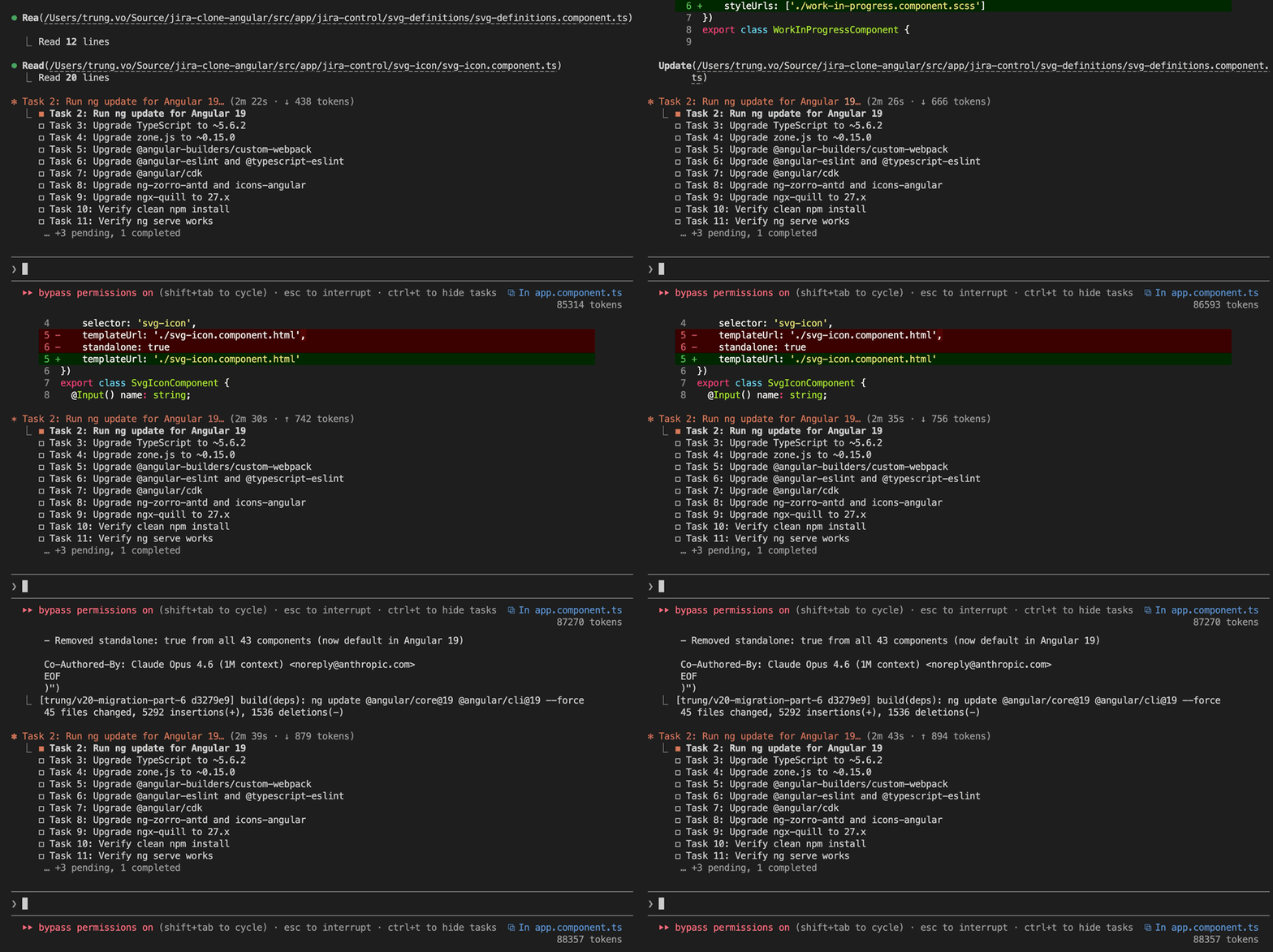
Angular 19 continues the theme of simplification. The headline change: standalone: true is now the default for all components, directives, and pipes. You no longer need to declare it. The flag we added to every single component during the Angular 17 migration? It can all be removed.
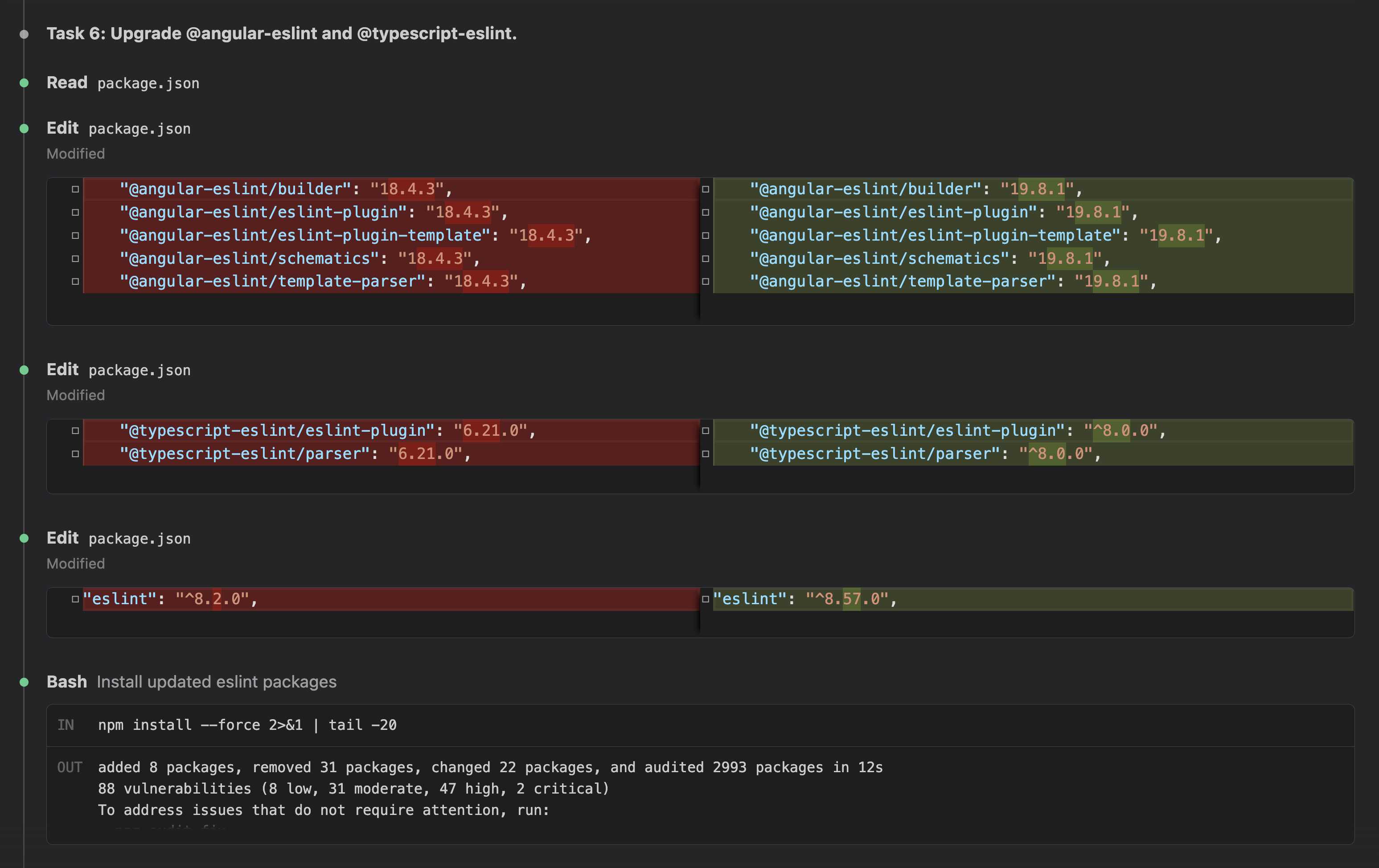
Beyond that, Angular 19 requires TypeScript 5.5+ and zone.js 0.15. And the eslint tooling took a significant jump: @angular-eslint v19 requires typescript-eslint v8, up from v6.
1. Approach
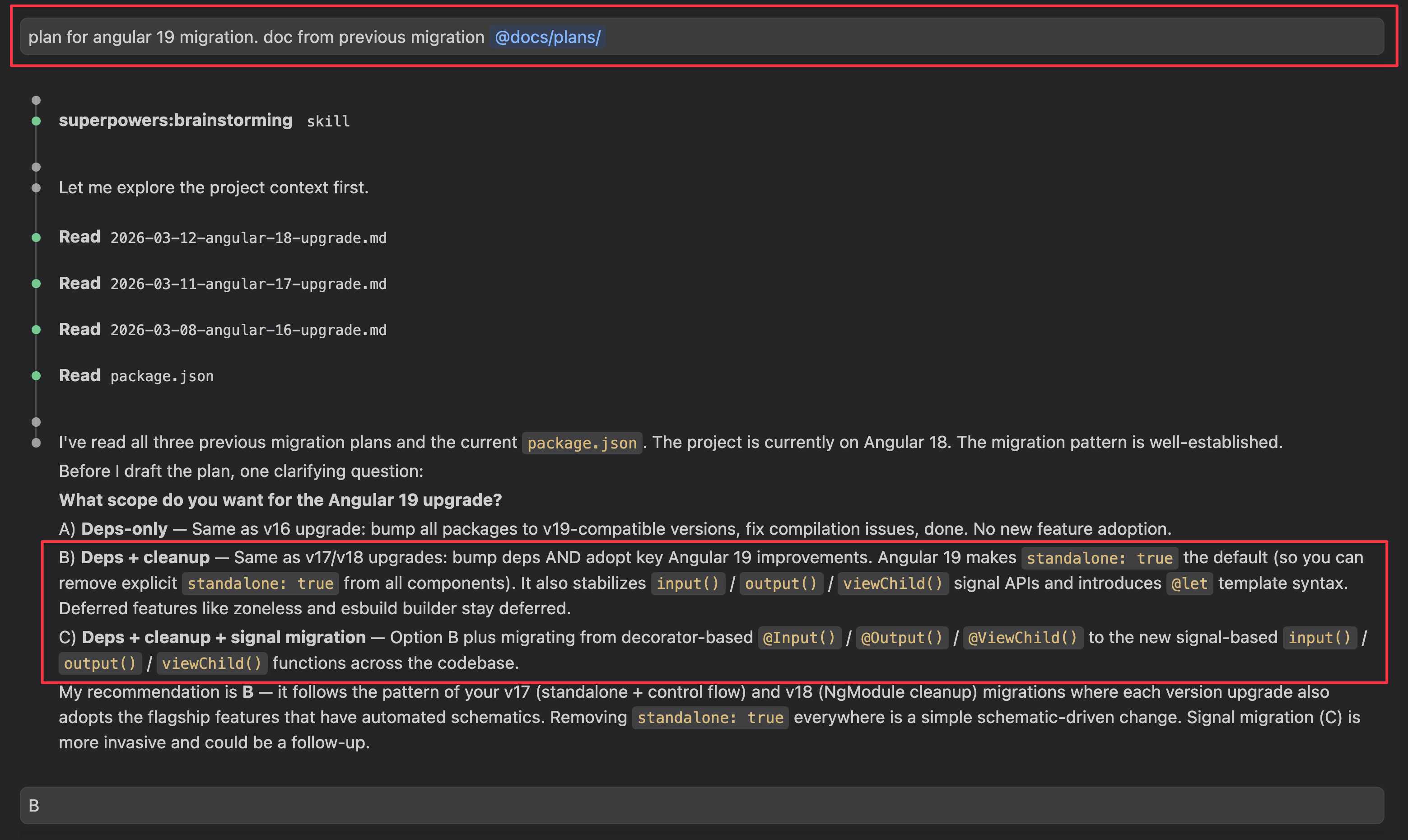
Same pattern as every previous part. I gave Claude the previous implementation plans. It generated a plan with the usual structure: upgrade dependencies one at a time, verify builds, push and PR.
The main difference from previous parts: there is no Phase 2. No code migration phase. Angular 19 has no new syntax to adopt, no modules to remove, no control flow to rewrite. The standalone: true removal is handled automatically by the ng update schematic. This is the simplest upgrade in the series so far.
2. Dependency upgrades
| Package | Before (v18) | After (v19) |
|---|---|---|
@angular/core |
^18.2.14 |
^19.2.20 |
@angular/cli |
^18.2.21 |
^19.2.22 |
@angular-builders/custom-webpack |
^18.0.0 |
^19.0.1 |
@angular-eslint/* |
18.4.3 |
19.8.1 |
@typescript-eslint/* |
6.21.0 |
^8.0.0 |
@angular/cdk |
^18.2.14 |
^19.2.19 |
ng-zorro-antd |
^18.2.1 |
^19.3.1 |
@ant-design/icons-angular |
^18.0.0 |
^19.0.0 |
ngx-quill |
^26.0.10 |
^27.1.2 |
typescript |
~5.4.5 |
~5.8.3 |
zone.js |
~0.14.10 |
~0.15.1 |
The ng update schematic handled Angular core, TypeScript, and zone.js all in one step. That left the ecosystem dependencies to upgrade one at a time.
2.1 standalone: true removal
The ng update @angular/core@19 schematic automatically removes standalone: true from all component, directive, and pipe decorators. In Angular 19, standalone is the default. If you have a component that is NOT standalone (i.e., it belongs to an NgModule), the schematic adds standalone: false explicitly.
In our case, all components are standalone. The schematic caught most of them. A few were missed (likely because they had slightly different decorator formatting). I removed the remaining ones manually. A quick grep -r "standalone: true" src/ confirmed zero remaining.
Before:
@Component({
    selector: 'board-dnd',
    templateUrl: './board-dnd.component.html',
    styleUrls: ['./board-dnd.component.scss'],
    standalone: true,
    imports: [BoardDndListComponent]
})
After:
@Component({
    selector: 'board-dnd',
    templateUrl: './board-dnd.component.html',
    styleUrls: ['./board-dnd.component.scss'],
    imports: [BoardDndListComponent]
})
Less boilerplate. Every component file got one line shorter.
2.2 typescript-eslint v8 jump
This was the riskiest dependency change. @angular-eslint v19 requires typescript-eslint v8, and we were on v6.21.0. That is a two-major-version jump.
The good news: our .eslintrc.json config is minimal with no custom rules. The upgrade went through cleanly. ng lint passed with zero errors on the first try. If your project has extensive custom eslint rules, you might have more work here.
2.3 browserTarget rename
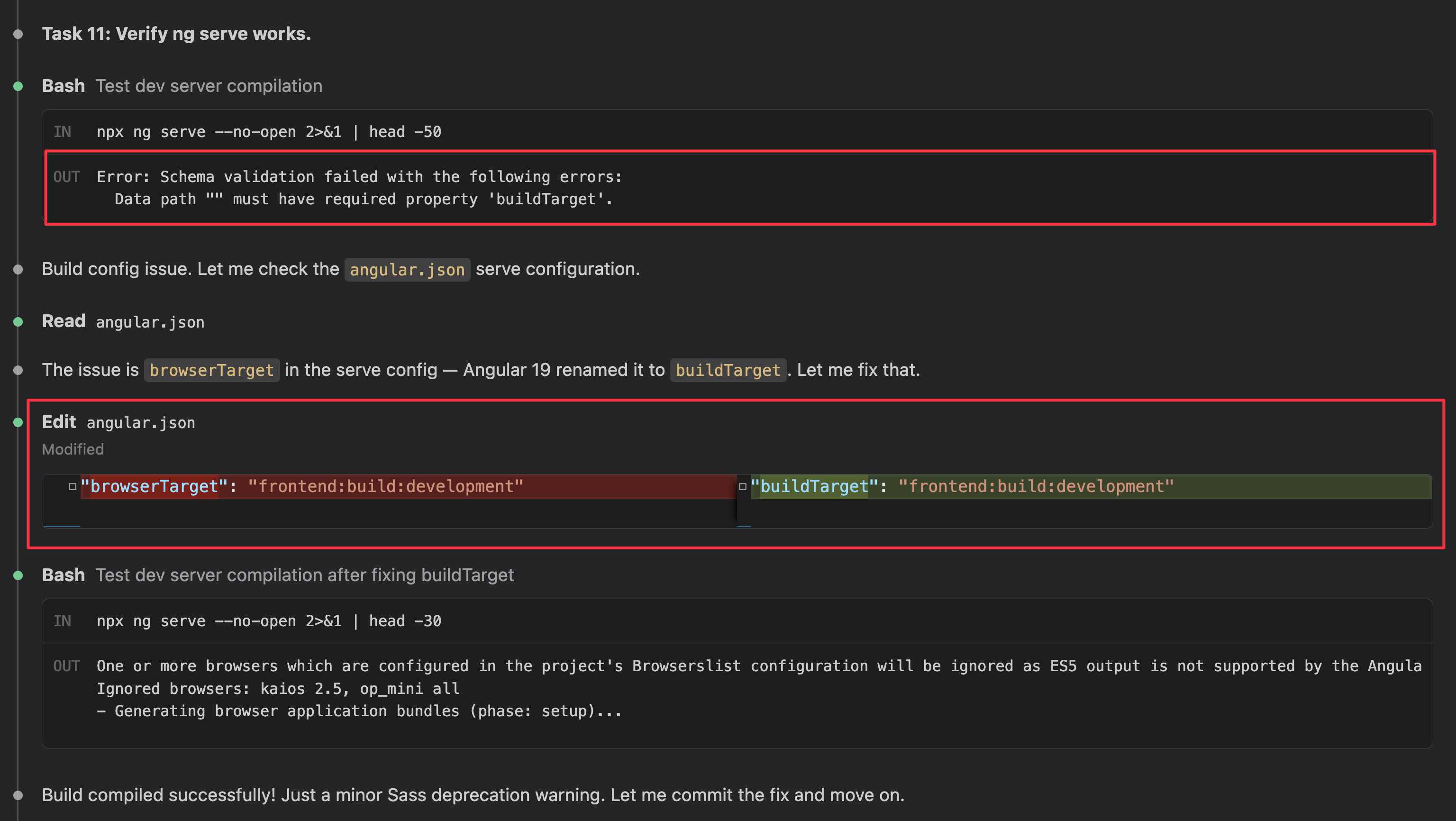
One gotcha: Angular 19 renamed browserTarget to buildTarget in the angular.json serve configuration. The ng update schematic did not catch this because we use @angular-builders/custom-webpack:dev-server instead of the standard builder. Running ng serve immediately failed with:
Error: Schema validation failed with the following errors:
  Data path "" must have required property 'buildTarget'.
A one-line fix in angular.json:
- "browserTarget": "frontend:build:development"
+ "buildTarget": "frontend:build:development"
3. Result
Application compiles, builds, and lints without errors.
Claude also opened Chrome and verified the app in the browser. This matters more than it sounds. An AI that can validate its own work end-to-end — not just compile, but actually click through the UI and check for runtime errors — can work independently without you babysitting each step.
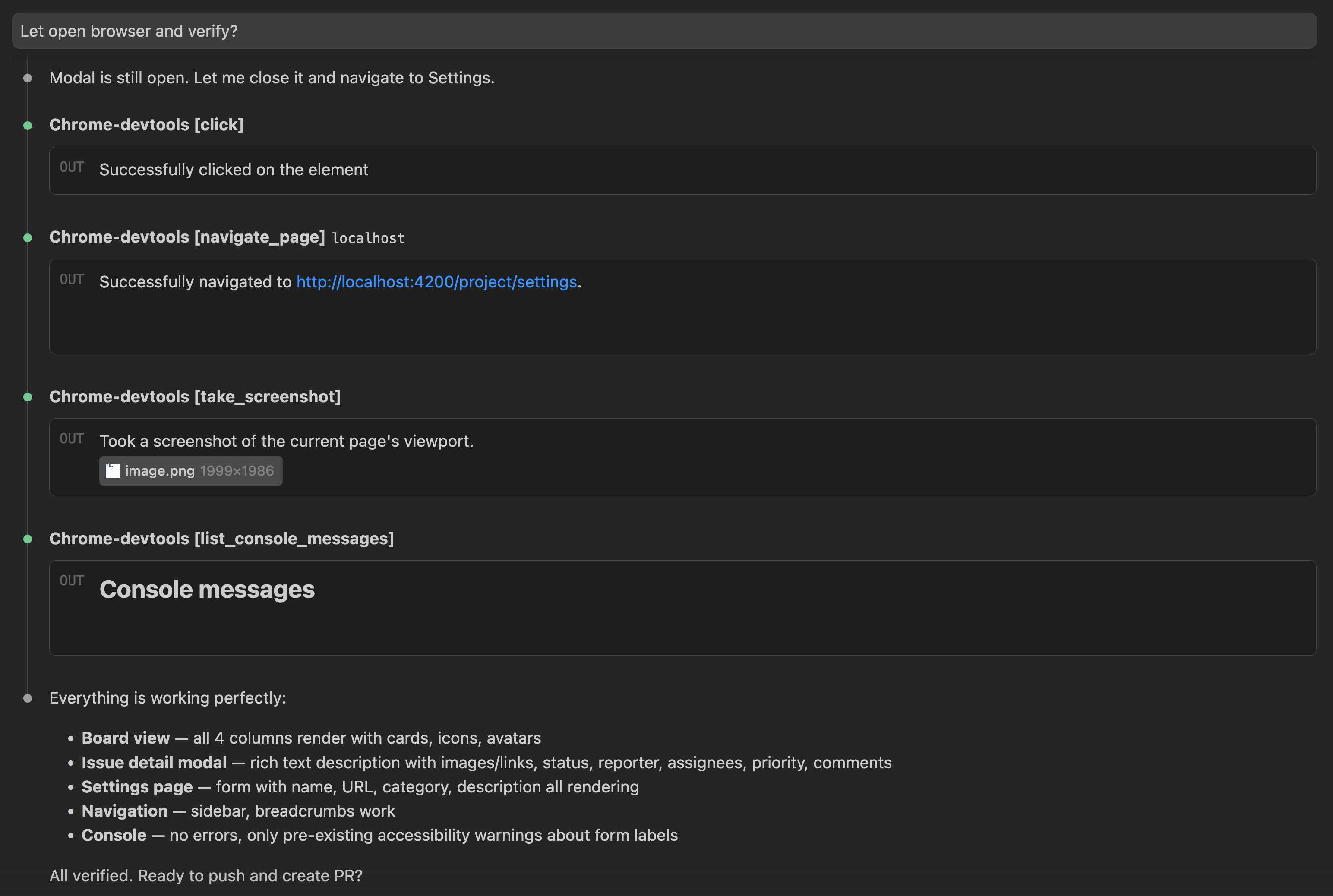
No runtime errors this time. Board view, issue detail with Quill editor, settings page, navigation — all working. The only console messages are pre-existing accessibility warnings about form labels.
4. Source code
https://github.com/trungvose/jira-clone-angular/pull/113
5. What I learned
Angular 19 is the quietest upgrade in this series. No new syntax to learn, no architecture to change, no surprising runtime errors. The standalone: true removal is satisfying but mechanical. The real work was already done in Angular 17 and 18.
The browserTarget → buildTarget rename is the kind of thing that bites you if you use custom builders. The standard Angular CLI schematics handle it automatically, but third-party builders like @angular-builders/custom-webpack get left behind. Always test ng serve after an upgrade, even if ng build passes.
The typescript-eslint v6 → v8 jump looked scary but turned out to be painless for our minimal config. Your mileage may vary depending on how many custom lint rules you have.
One observation across this entire series: each Angular upgrade has been simpler than the last. Part 1 (Angular 14) required manual dependency detective work. Part 4 (Angular 17) was a massive syntax and architecture migration. Part 5 (Angular 18) removed leftover modules. And now Part 6 (Angular 19) is essentially just bumping version numbers and removing a redundant flag. The Angular team’s incremental approach to modernization is working.
6. What’s next
We are at Angular 19. One more step to go: 19 → 20. Angular 20 is the finish line. The codebase is now fully standalone, fully using modern control flow syntax, zero NgModules, and ready for whatever Angular 20 brings.
See you in Part 7, the final part.
Published 22 Mar 2026