Wanna see something cool? Check out Angular Spotify 🎧
How to hide Agent View by default on startup in Antigravity
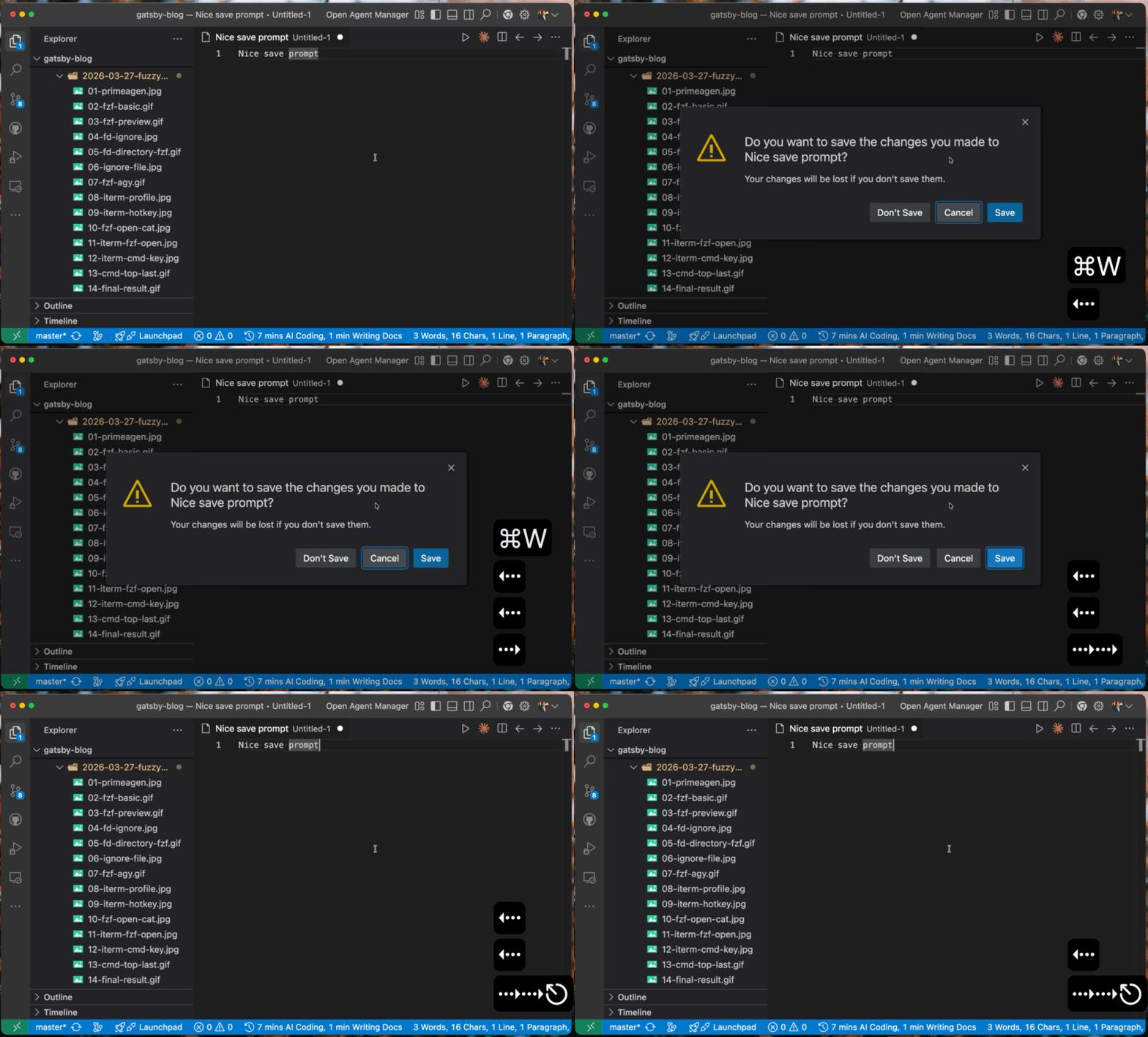
I really enjoy using Antigravity so far. I use it mainly as an editor like VS Code, but it has some nice touches. For example, the Save prompt when closing an unsaved file has keyboard-navigable options that you can cycle through without reaching for the mouse. Even though you can always use Cmd + S to save or Cmd + D to discard in VS Code since those are built-in Mac shortcuts, it feels very nice to have full keyboard navigation on the dialog itself.
That said, since I use Claude Code as my primary agent, I don’t need the Agent view that Antigravity opens by default on startup.
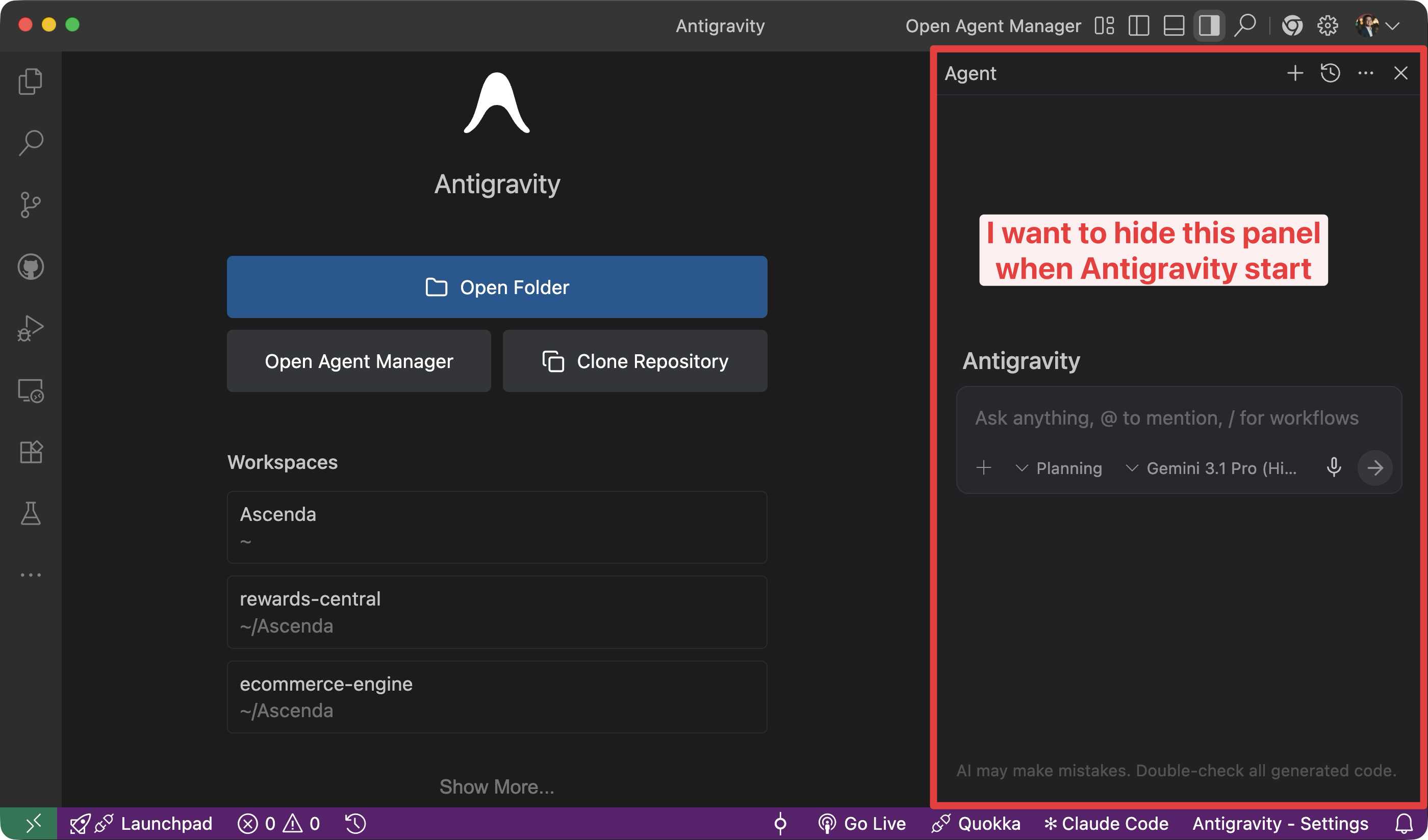
Here is how to turn it off.
Steps
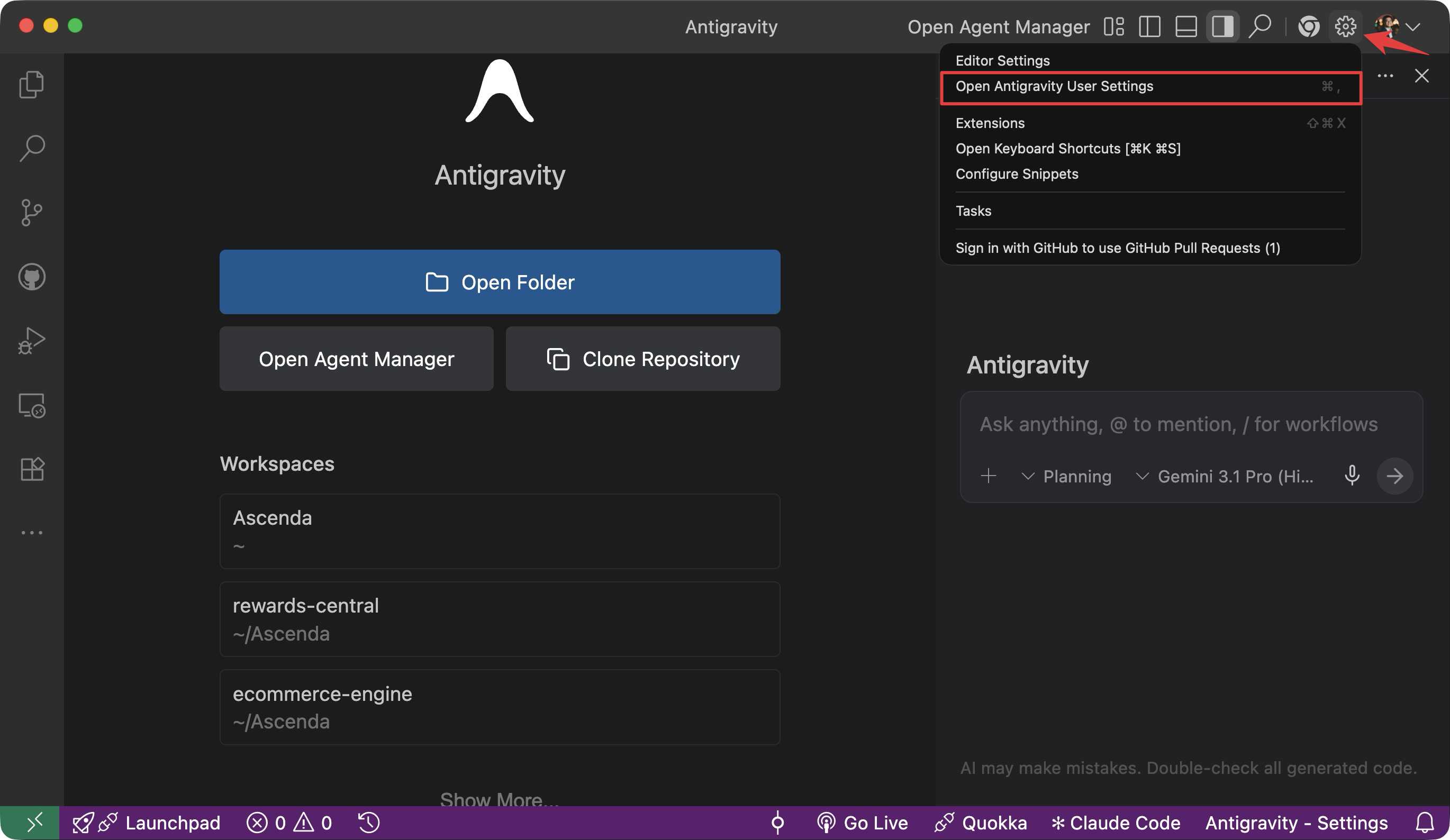
- Click on the gear/settings icon in the header at the top-right corner, then click on “Open Antigravity User Settings”. A dialog will open.
- Under the “Agent” section, scroll down and find
Open Agent on Reload.
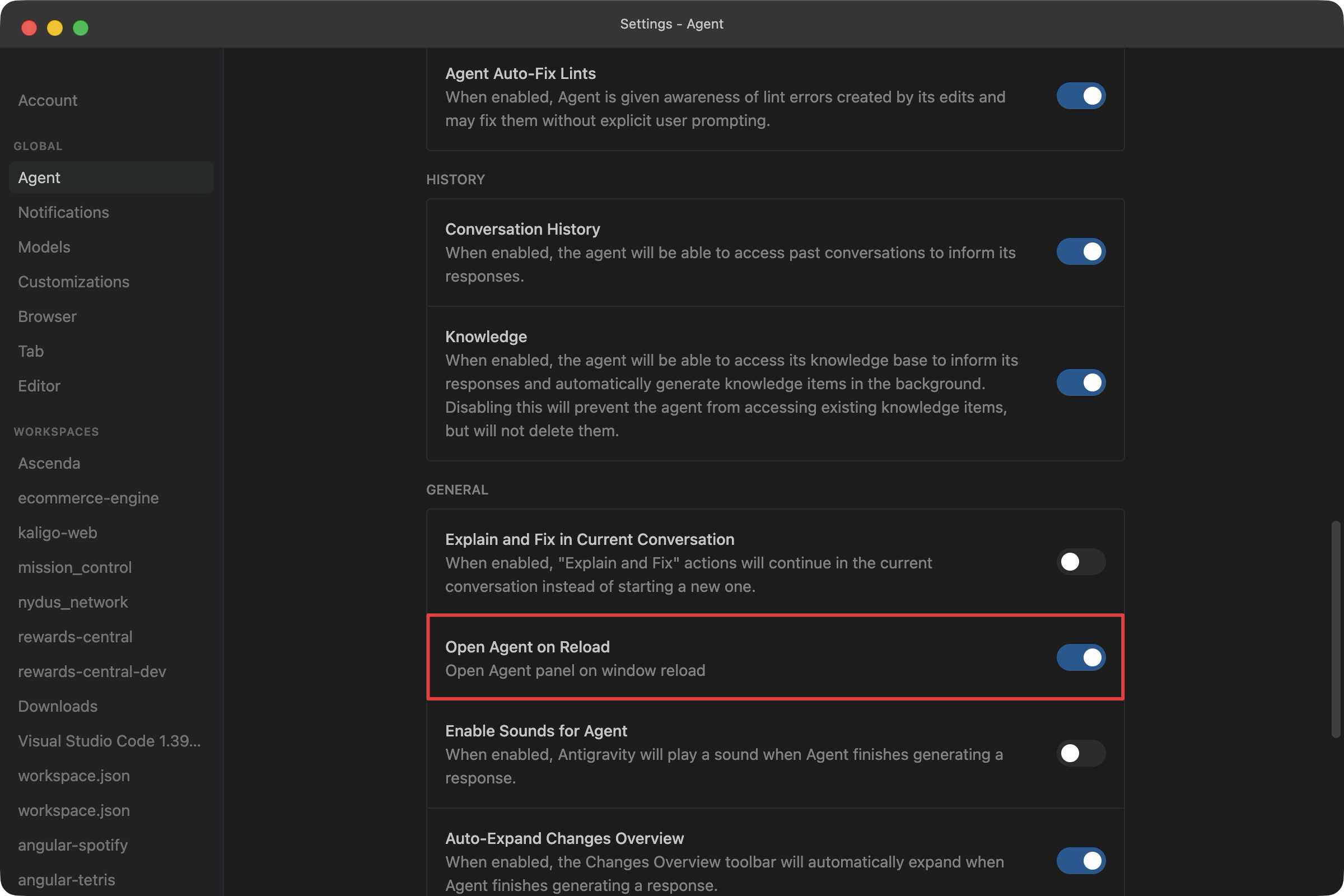
- Turn it off. By default, it is turned on.
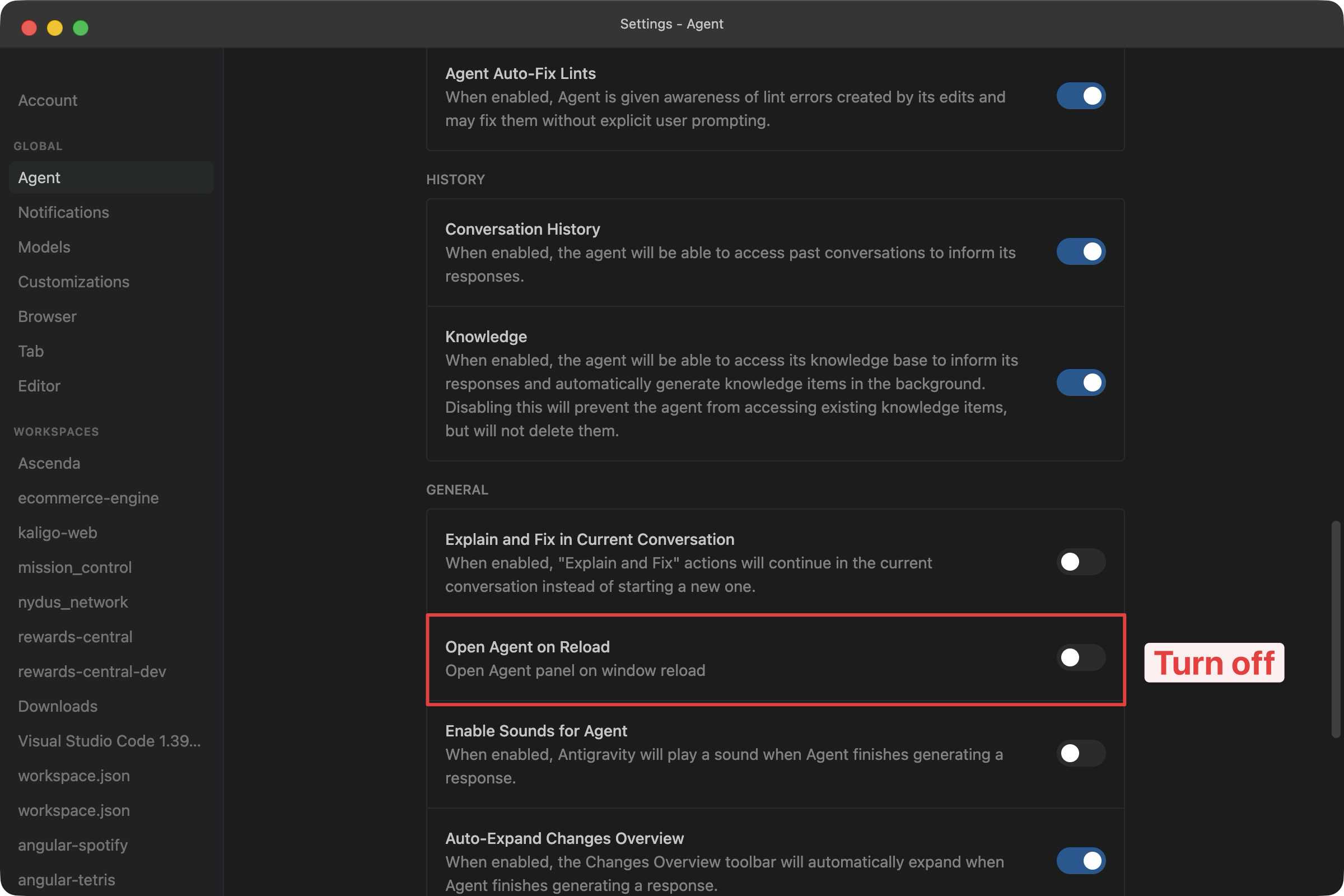
That is it. Next time you open Antigravity, the Agent view will no longer appear on startup.

Published 11 Apr 2026