Wanna see something cool? Check out Angular Spotify 🎧
I added synced lyrics to Angular Spotify without writing a single line of code
I have been lately catching up with AI tooling. When exploring AI tooling for work at Ascenda, using Figma MCP to go from design to code was impressive and really opened my eyes on what’s possible. So today, I wanted to try something bigger: implement a feature that was requested years ago for Angular Spotify, synced lyrics display.
With AI-assisted coding, it is becoming so easy to implement something that would have taken me days of research and wiring up. I did the whole thing purely by prompting with Claude Code, and I want to share the step-by-step process.
The feature
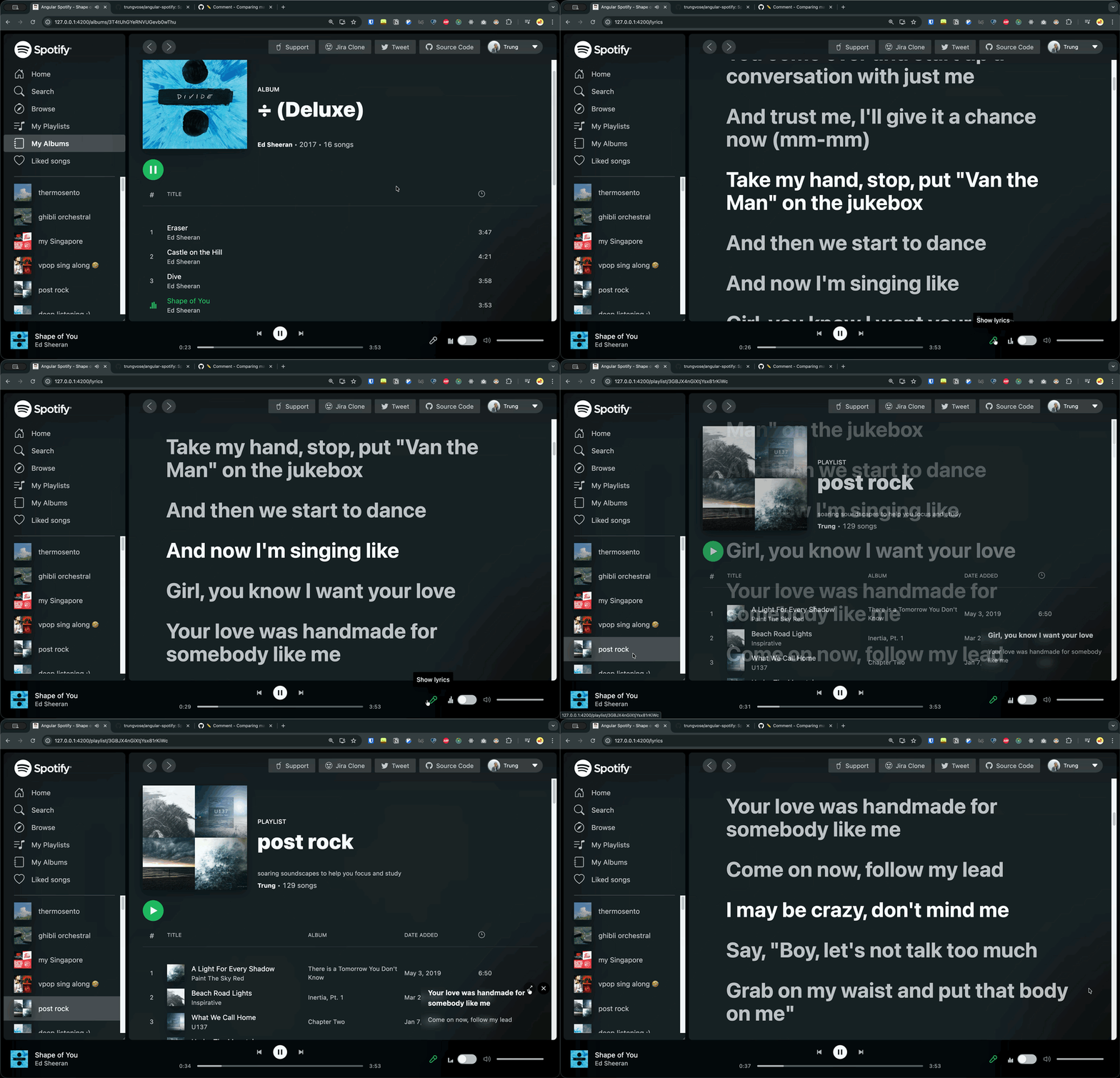
Synced lyrics that scroll along with the music, just like you see in the official Spotify app. Click a line to jump to that part of the song. When synced lyrics aren’t available, it falls back to plain lyrics with manual scroll.
I didn’t write any code myself at first. There were two prompts that I sent to Claude:
/init- A prompt starting with
Help me to plan this featureto trigger the Superpower workflow that goes through brainstorming, writing plans, and subagent-driven development
Source code
Here is my PR for reference:
https://github.com/trungvose/angular-spotify
Step 1: init command
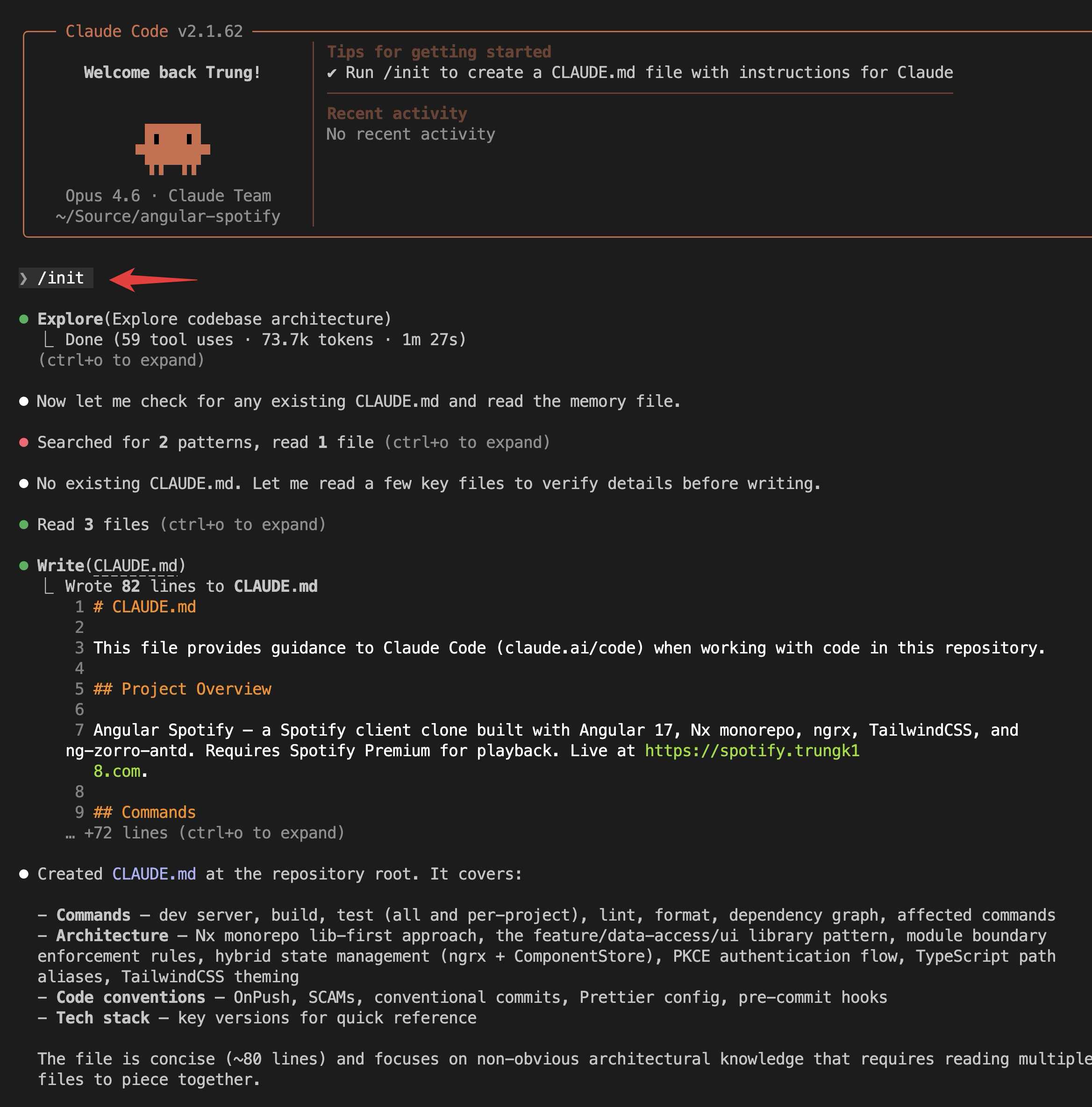
/init creates a CLAUDE.md file with a high-level summary of the project. I learned that the output by Claude contains enough good information about the project to get started.
However, you should also include one of the most important sections: how to build and verify. After each change, Claude can run those steps to verify things are working.
For example, Claude will by default figure out it needs to run lint/test. But maybe what is more important in your particular project is to run yarn start and see if there are any errors at runtime.
This is crucial for the agent to keep running and correcting itself without needing you in the loop as much.
Step 2: Superpower workflow
2.1 Brainstorm
I sent a prompt to trigger the Superpower workflow that includes several different skills to help me go through brainstorming, design, and implementation:
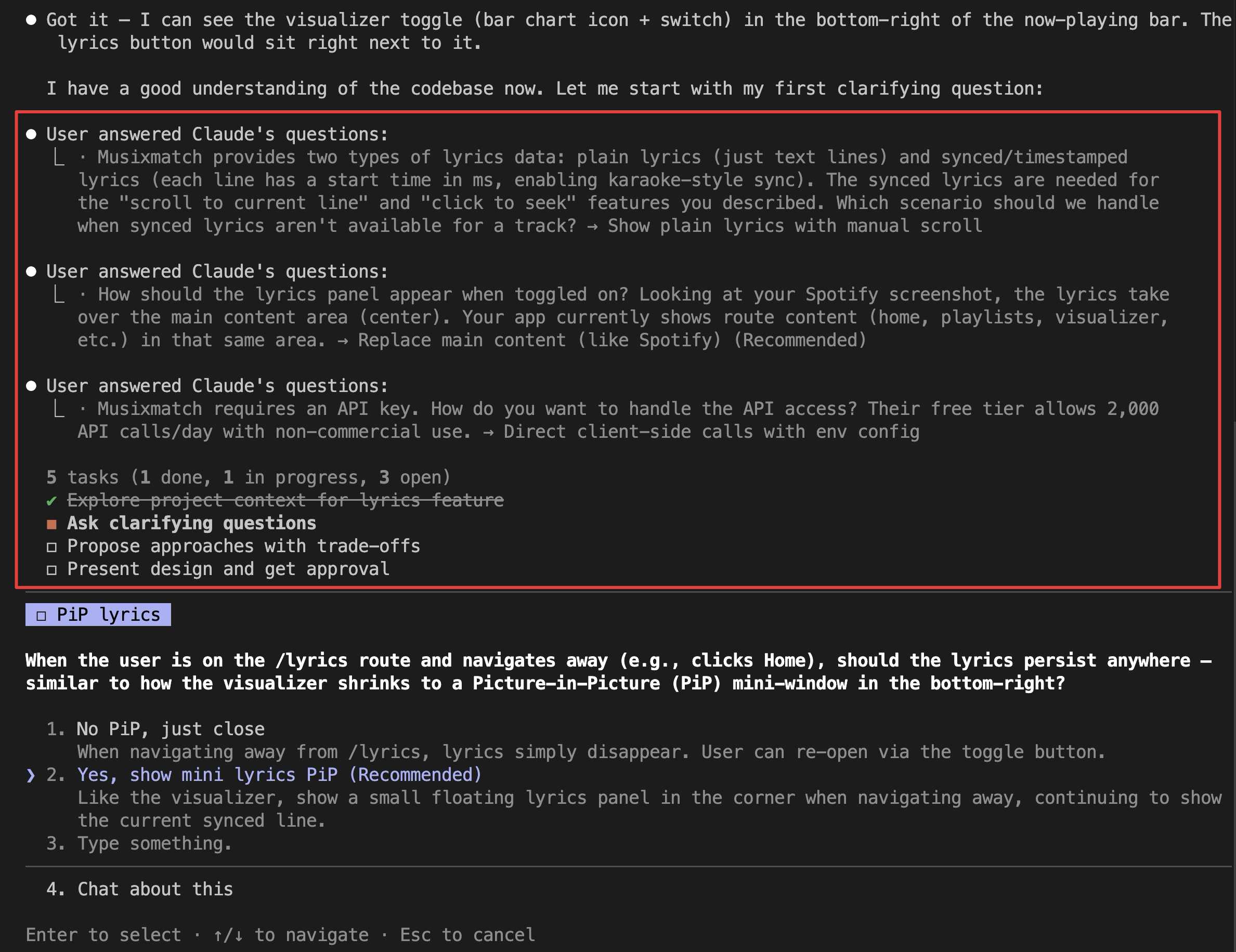
Help me to plan this feature.
I want to connect to Musixmatch, fetch the lyrics and show it on the screen. As you rewind the song, the lyrics will move to the right place.
Also, if you click into a lyric, it will jump to the right position of the song.
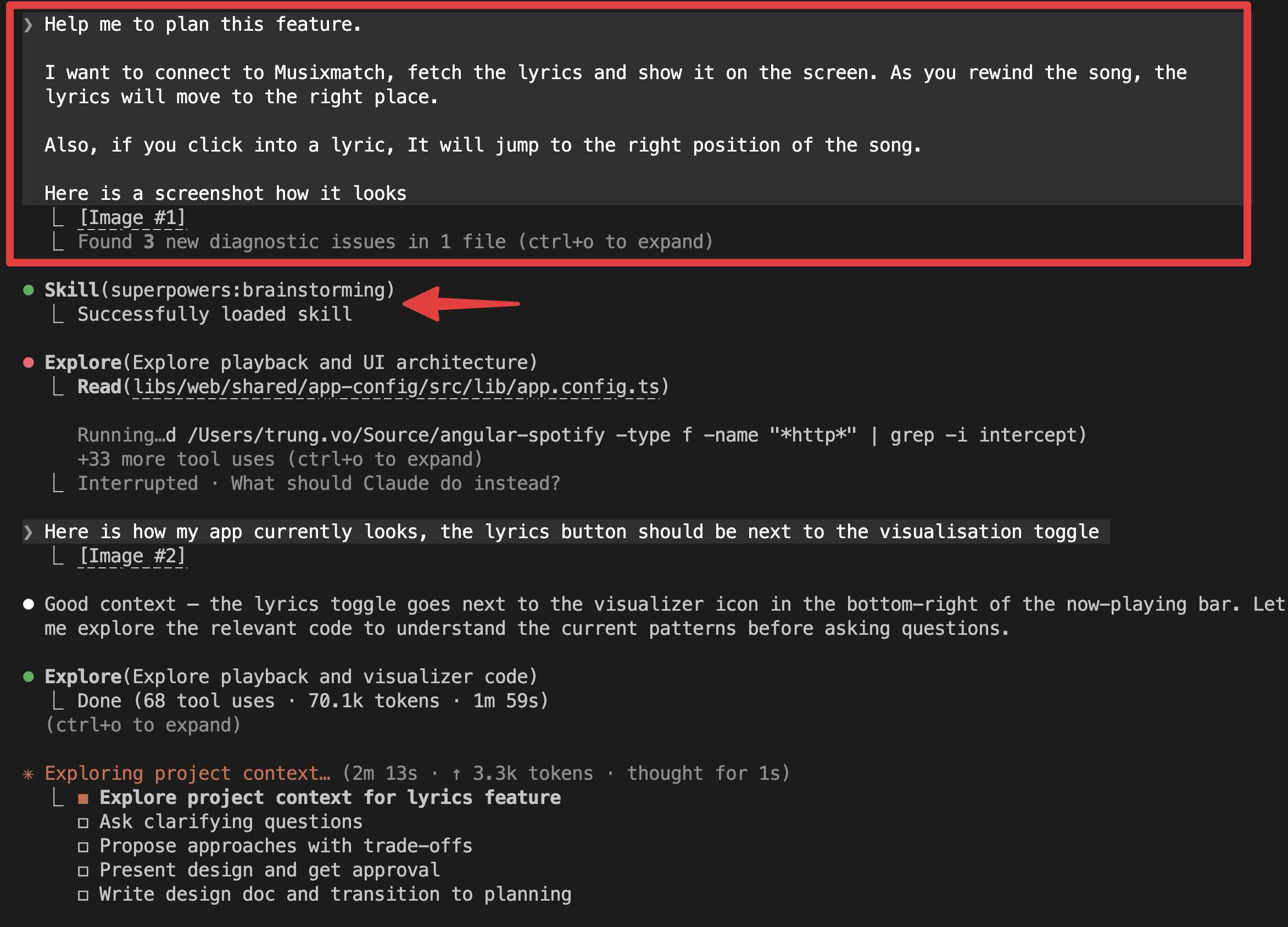
The first line Help me to plan this feature automatically triggers the brainstorm workflow. Claude does research first, then asks me a couple of follow-up questions. The questions it asked were pretty accurate, see below.
2.2 Design
From the screenshot below, you can see there are a few steps in the brainstorming phase:
- Explore project context for the lyrics feature
- Ask clarifying questions
- Propose approaches with trade-offs
- Present design and get approval
At step 3, based on all my clarifications, Claude suggested a couple of approaches and I could choose which one I wanted. I chose option A which was also the recommended option.
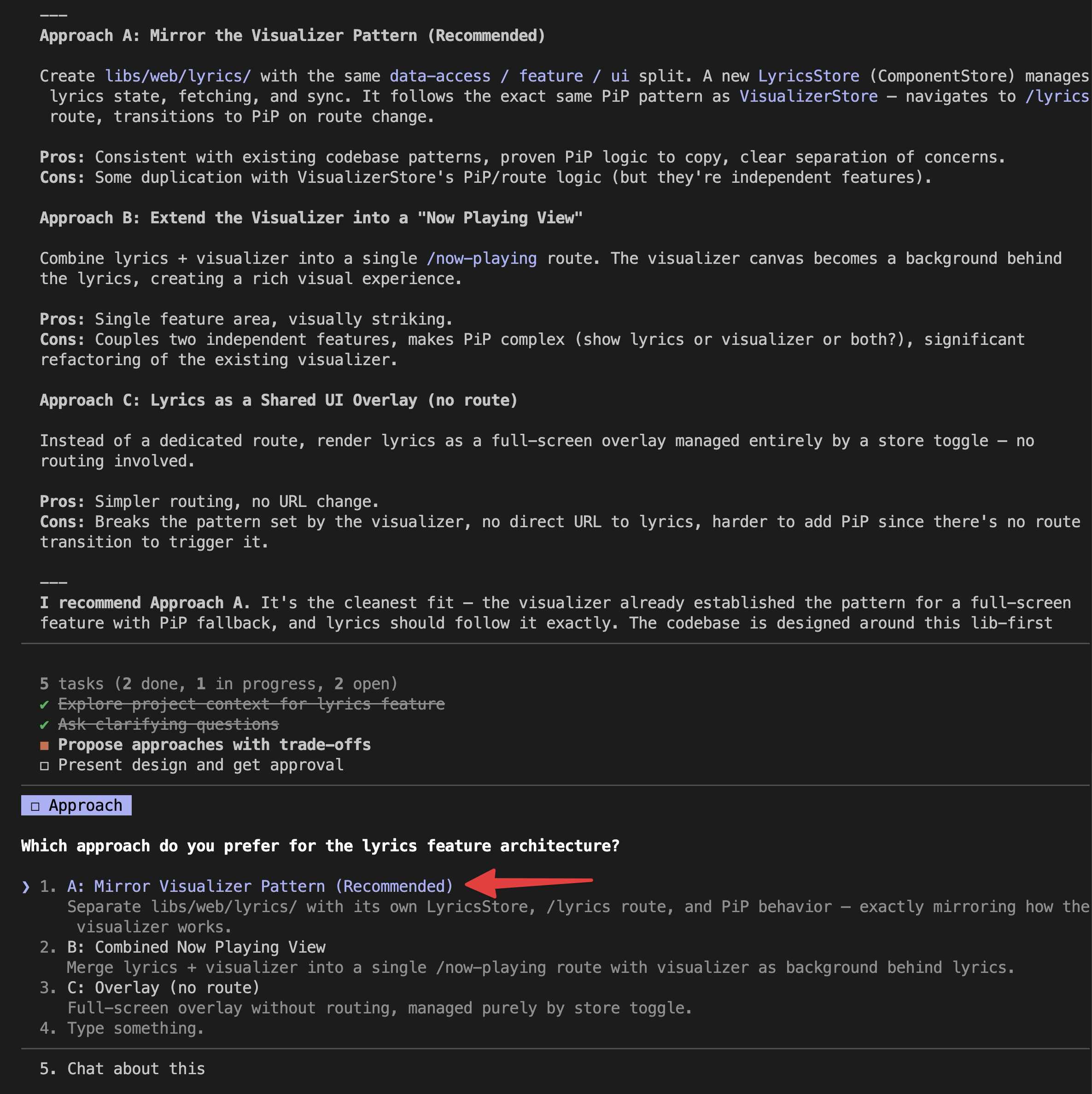
Next, it produced a detailed design document in markdown covering:
- Musixmatch API with plain lyrics (just text lines) and synced/timestamped lyrics
- Library structure following the existing Nx conventions
- Data models and store design
- UI component breakdown
- The full data flow from playback state to active lyric line
This design phase was crucial. Instead of jumping straight into code, I got a clear blueprint that I could review and adjust before writing a single line.
If I approve the design, it goes ahead and creates a very detailed implementation plan, also in markdown.
- Here is the design doc
- Here is the commit where you can see the implementation plan is really long (+1k lines), covering how to generate new libraries, how to structure code, etc. But eventually after a lot of follow-up prompts during implementation, the plan got outdated very quickly. So I deleted it from the final PR.
Step 3: Implementation
After having the implementation plan, I let Claude run and generate all of the code. As you can see from the following commit, the Musixmatch service was being implemented and I just needed to provide an API key at the end to test the app.
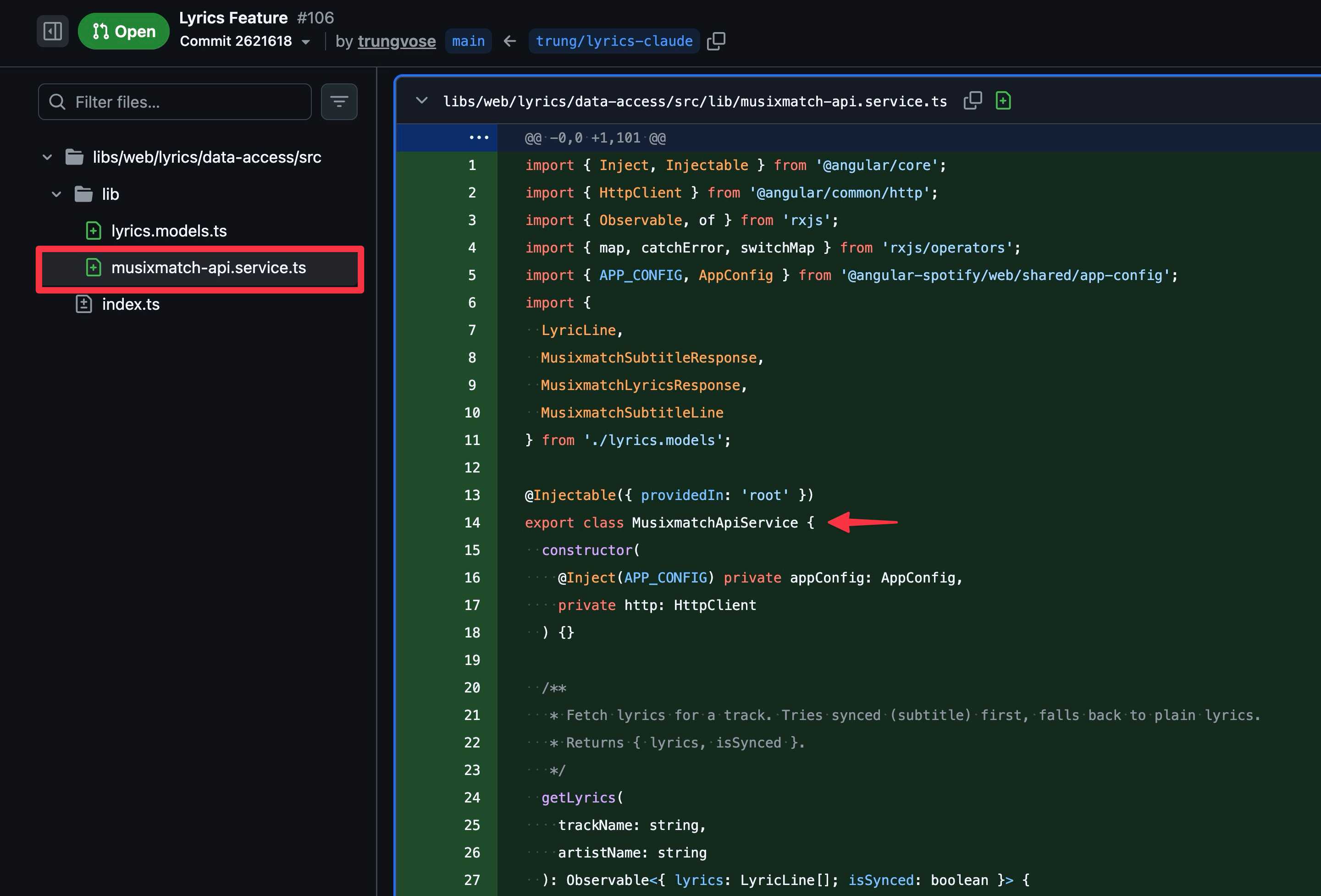
However, when I went to the website to log in and get the API key, I realised they had deleted my account. The whole developer portal seemed to have changed since I created an account years ago.
So I asked Claude to do a quick research and find an alternative and it found LRCLIB, a free, open lyrics API that requires no API key. That ended up being what we used in the final PR.
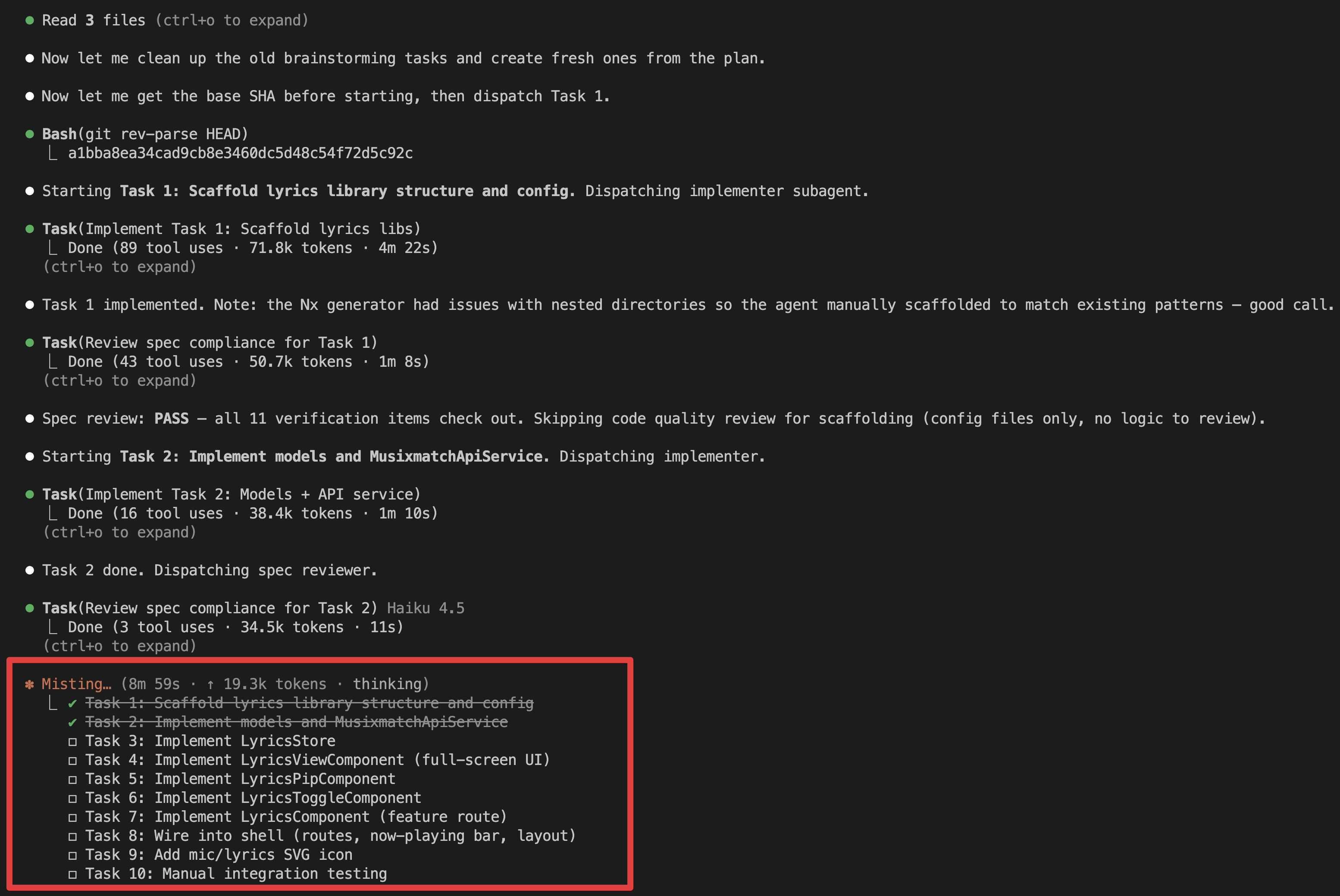
Step 4: Follow-up and debugging
Once the code was generated, I ran the dev server and manually verified how the feature worked. There is a lot of opportunity here to use something like Chrome MCP so Claude can run and verify the feature by itself. But at this stage, the workflow was mainly: I spot a bug or unexpected behavior, prompt Claude about it, and Claude fixes it. A few worth mentioning:
CORS handling. The auth interceptor was attaching the Spotify Authorization header to LRCLIB requests, which LRCLIB’s CORS policy rejects. Claude identified both interceptors (auth + unauthorized) that needed to skip lrclib.net requests.
Position drift. The stateTimestamp needed to be captured in PlaybackService at the moment the SDK fires player_state_changed, before the async getVolume() call. Otherwise there was a 3-4 second delay where the music runs ahead and the lyrics catch up a few seconds later. After a couple of prompts and testing, it was fixed!
2.3 Optional: --dangerously-skip-permissions
Claude may ask for many permissions while reading from Figma and your codebase.
I’ve been running with --dangerously-skip-permissions, which means Claude won’t pause to ask before executing certain commands.
So far, I haven’t hit issues, and it keeps the session moving. Without it, the work is interuppted: you step away for a moment, come back, and discover it stopped after 30 seconds to ask a question.
However,
--dangerously-skip-permissionsis still a security concern, so we should consider configuringsetting.jsonto whitelist commands that we often use.
What I learned
- Design first, code second. Having Claude produce a design document before any code was the most valuable step.
- AI-assisted coding shines for pattern-heavy work. The lyrics feature mirrors the visualizer’s architecture. Claude recognized the patterns in my codebase and replicated them consistently across all the new files.
- You still need to review. I’m not blindly accepting everything. But the feedback loop is much tighter. Instead of writing code and debugging, I’m reviewing code and prompting for adjustments.
- Tests matter more than ever. The biggest gap in my Spotify codebase is the lack of unit tests. I still had to manually test every change. If I had a proper unit test suite, or even better e2e tests, Claude could handle a lot of that verification and make the whole process even smoother. That’s something I want to invest in next.
- Features that sat in the backlog for years took an afternoon. That’s the real takeaway.
Published 1 Mar 2026